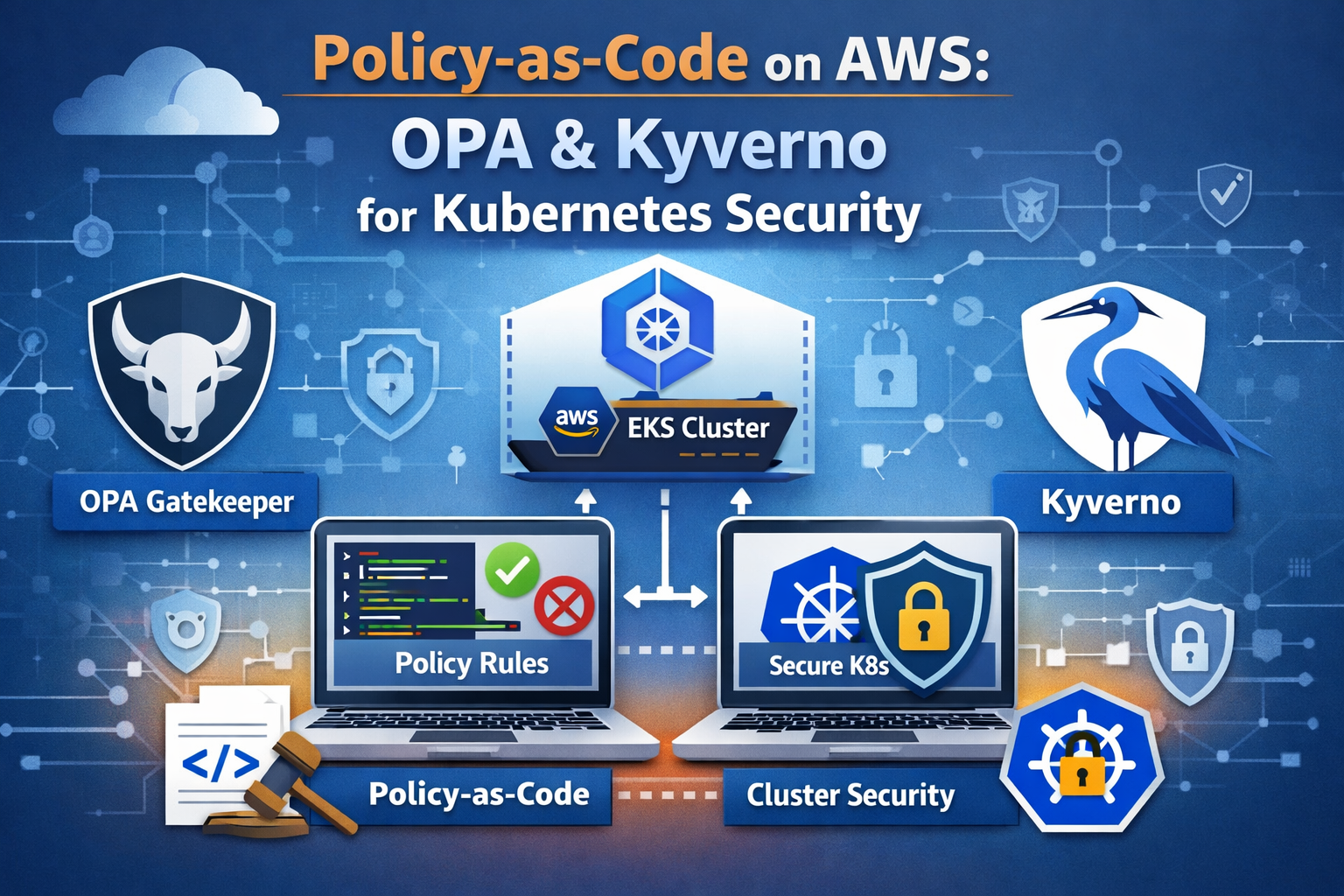
 EKS admission control flow with OPA Gatekeeper, Kyverno, and AWS Config governance
Introduction
Kubernetes misconfigurations remain the single largest source of security incidents in containerized environments. Over 50% of organizations cite misconfigurations as the leading cause of Kubernetes security incidents, according to the Red Hat State of Kubernetes Security Report. Ninety percent of organizations experienced at least one Kubernetes security incident in the past twelve months, and new clusters face their first attack attempt within 18 minutes of deployment. Meanwhile, 82% of cloud misconfigurations are caused by human error, not software flaws.
Manual configuration reviews do not scale. Runbooks get stale. Tribal knowledge walks out the door when engineers change teams. The answer is policy-as-code: machine-enforceable rules that live in Git, run through CI/CD, and block non-compliant resources before they ever reach your cluster.
Current Landscape Statistics
- Misconfiguration Dominance: 50%+ of Kubernetes security incidents trace back to misconfigurations and exposures
- Human Error: 82% of cloud misconfigurations stem from human error, making manual reviews inherently unreliable
- Attack Velocity: Container-based lateral movement attacks increased 34% in 2025, targeting misconfigured workloads
- Legacy Risk: 81% of EKS clusters still rely on deprecated CONFIG_MAP authentication, a risk that automated policy could eliminate
- Production Impact: Real-world policy-as-code implementations report an 80% reduction in policy violations detected pre-merge
This article walks through the AWS-native approach first with AWS Config managed rules for EKS, then shows how open-source policy engines – OPA Gatekeeper and Kyverno – deliver portable, version-controlled enforcement across any Kubernetes cluster, not just EKS.
Why Policy-as-Code Matters
Traditional security governance relies on documentation, training, and periodic audits. This model breaks down in Kubernetes environments where dozens of engineers push hundreds of deployments per day across multiple clusters.
Policy-as-code shifts enforcement from reactive (find violations after deployment) to proactive (block violations before admission). The key benefits include:
Version Control and Auditability Every policy change goes through pull request review, just like application code. You get a complete audit trail of who approved what rule and when it took effect. Compliance teams can point auditors at a Git repository instead of assembling spreadsheets.
Automated Enforcement
Policies execute as Kubernetes admission controllers. When a developer runs kubectl apply, the API server sends the resource to your policy engine, which evaluates it against your rules and returns an allow or deny decision in milliseconds. No human in the loop, no delay, no exceptions unless you explicitly grant them.
Portability Across Clusters and Clouds OSS policy engines work on any conformant Kubernetes cluster: EKS, GKE, AKS, on-premises k3s, or bare-metal kubeadm. Your security posture travels with your workloads. AWS Config, by contrast, operates at the infrastructure layer and evaluates EKS cluster configuration, not the workloads running inside it.
Shift Left Testing
Policy rules can run in CI before manifests ever reach a cluster. Tools like conftest evaluate Rego policies against YAML files in a pipeline step, catching violations at pull request time rather than deploy time.
AWS Config for EKS: What It Covers and Where It Falls Short
AWS Config provides managed rules that evaluate the configuration of your AWS resources, including EKS clusters. It operates at the AWS API layer, examining cluster-level settings.
What AWS Config Covers
AWS Config evaluates EKS infrastructure configuration with managed rules like:
1
2
3
4
5
6
7
8
9
10
11
12
13
14
15
16
17
18
19
20
21
22
23
24
25
26
27
# Example AWS Config managed rules for EKS
aws configservice put-config-rule --config-rule '{
  "ConfigRuleName": "eks-cluster-supported-version",
  "Source": {
    "Owner": "AWS",
    "SourceIdentifier": "EKS_CLUSTER_SUPPORTED_VERSION"
  },
  "InputParameters": "{\"oldestVersionSupported\":\"1.28\"}"
}'

# Check EKS endpoint public access
aws configservice put-config-rule --config-rule '{
  "ConfigRuleName": "eks-endpoint-no-public-access",
  "Source": {
    "Owner": "AWS",
    "SourceIdentifier": "EKS_ENDPOINT_NO_PUBLIC_ACCESS"
  }
}'

# Ensure EKS cluster logging is enabled
aws configservice put-config-rule --config-rule '{
  "ConfigRuleName": "eks-cluster-logging-enabled",
  "Source": {
    "Owner": "AWS",
    "SourceIdentifier": "EKS_CLUSTER_LOGGING_ENABLED"
  }
}'
Key EKS-focused AWS Config managed rules include:
- eks-cluster-supported-version: Flags clusters running unsupported Kubernetes versions
- eks-endpoint-no-public-access: Checks whether the EKS API endpoint is publicly accessible
- eks-cluster-logging-enabled: Verifies audit and API server logging is active
- eks-secrets-encrypted: Confirms envelope encryption is enabled for Kubernetes Secrets
AWS Config also integrates with Security Hub for centralized findings and supports conformance packs that bundle multiple rules into a compliance framework.
Where AWS Config Falls Short
AWS Config operates at the infrastructure layer. It can tell you whether your EKS cluster has logging enabled, but it cannot tell you:
- Whether a Pod is running as root inside that cluster
- Whether a Deployment is pulling images from an unapproved registry
- Whether a container is requesting 32 GiB of RAM with no resource limits
- Whether a namespace is missing required labels for cost allocation
- Whether a service account has been granted
cluster-adminprivileges
For workload-level governance, you need admission controllers running inside the cluster. This is where OPA Gatekeeper and Kyverno step in.
OPA Gatekeeper Deep Dive
The Open Policy Agent is a CNCF-graduated general-purpose policy engine. OPA Gatekeeper is its Kubernetes-native integration that acts as a validating admission webhook.
Architecture
Gatekeeper consists of three main components:
- Gatekeeper Controller Manager: Runs as a Deployment in the
gatekeeper-systemnamespace. It watches for ConstraintTemplate and Constraint custom resources. - Validating Admission Webhook: Intercepts API server requests and evaluates them against loaded policies written in Rego.
- Audit Controller: Periodically scans existing resources for compliance with constraints, catching pre-existing violations.
Deploying Gatekeeper on EKS
1
2
3
4
5
6
7
8
9
10
11
12
# Add the Gatekeeper Helm repository
helm repo add gatekeeper https://open-policy-agent.github.io/gatekeeper/charts
helm repo update

# Install Gatekeeper into your EKS cluster
helm install gatekeeper gatekeeper/gatekeeper \
  --namespace gatekeeper-system \
  --create-namespace \
  --set replicas=3 \
  --set audit.replicas=1 \
  --set audit.logLevel=INFO \
  --set controllerManager.logLevel=INFO
Writing Rego Policies: ConstraintTemplates and Constraints
Gatekeeper uses a two-layer model. A ConstraintTemplate defines the policy logic in Rego. A Constraint applies that template to specific resources with parameters.
Example: Block Privileged Containers
1
2
3
4
5
6
7
8
9
10
11
12
13
14
15
16
17
18
19
20
21
22
23
24
25
26
27
28
29
30
31
32
33
34
35
36
37
38
39
40
41
# ConstraintTemplate: defines the Rego logic
apiVersion: templates.gatekeeper.sh/v1
kind: ConstraintTemplate
metadata:
  name: k8spspprivilegedcontainer
spec:
  crd:
    spec:
      names:
        kind: K8sPSPPrivilegedContainer
  targets:
    - target: admission.k8s.gatekeeper.sh
      rego: |
        package k8spspprivilegedcontainer

        violation[{"msg": msg}] {
          container := input.review.object.spec.containers[_]
          container.securityContext.privileged == true
          msg := sprintf("Privileged container is not allowed: %v", [container.name])
        }

        violation[{"msg": msg}] {
          container := input.review.object.spec.initContainers[_]
          container.securityContext.privileged == true
          msg := sprintf("Privileged init container is not allowed: %v", [container.name])
        }
---
# Constraint: applies the template to all Pods
apiVersion: constraints.gatekeeper.sh/v1beta1
kind: K8sPSPPrivilegedContainer
metadata:
  name: deny-privileged-containers
spec:
  match:
    kinds:
      - apiGroups: [""]
        kinds: ["Pod"]
    excludedNamespaces:
      - kube-system
      - gatekeeper-system
  enforcementAction: deny
Example: Restrict Image Registries
1
2
3
4
5
6
7
8
9
10
11
12
13
14
15
16
17
18
19
20
21
22
23
24
25
26
27
28
29
30
31
32
33
34
35
36
37
38
39
40
41
42
43
44
45
apiVersion: templates.gatekeeper.sh/v1
kind: ConstraintTemplate
metadata:
  name: k8sallowedrepos
spec:
  crd:
    spec:
      names:
        kind: K8sAllowedRepos
      validation:
        openAPIV3Schema:
          type: object
          properties:
            repos:
              type: array
              items:
                type: string
  targets:
    - target: admission.k8s.gatekeeper.sh
      rego: |
        package k8sallowedrepos

        violation[{"msg": msg}] {
          container := input.review.object.spec.containers[_]
          not startswith(container.image, input.parameters.repos[_])
          msg := sprintf(
            "Container <%v> image <%v> not from an allowed registry. Allowed: %v",
            [container.name, container.image, input.parameters.repos]
          )
        }
---
apiVersion: constraints.gatekeeper.sh/v1beta1
kind: K8sAllowedRepos
metadata:
  name: require-approved-registries
spec:
  match:
    kinds:
      - apiGroups: [""]
        kinds: ["Pod"]
  parameters:
    repos:
      - "123456789012.dkr.ecr.us-east-1.amazonaws.com/"
      - "123456789012.dkr.ecr.us-west-2.amazonaws.com/"
      - "public.ecr.aws/"
Gatekeeper v3.22: ValidatingAdmissionPolicy Integration
As of Gatekeeper v3.22 (February 2026), the sync-vap-enforcement-scope flag defaults to true, unifying the ValidatingAdmissionPolicy enforcement surface with ConstraintTemplates. This means Gatekeeper now aligns with the upstream Kubernetes ValidatingAdmissionPolicy API, giving you a migration path toward native Kubernetes policy primitives while retaining the power of Rego for complex logic.
Kyverno Deep Dive
Kyverno is a CNCF-graduated Kubernetes-native policy engine designed specifically for Kubernetes. Its defining feature: policies are written in YAML, not a custom language. If you can write a Kubernetes manifest, you can write a Kyverno policy.
Architecture
Kyverno operates as a dynamic admission controller with these components:
- Admission Webhook: Intercepts API server requests for validation, mutation, and generation
- Background Controller: Scans existing resources for compliance and applies generate/mutate rules to existing resources
- Reports Controller: Generates PolicyReport and ClusterPolicyReport custom resources for audit visibility
Deploying Kyverno on EKS
1
2
3
4
5
6
7
8
9
10
11
12
# Add the Kyverno Helm repository
helm repo add kyverno https://kyverno.github.io/kyverno/
helm repo update

# Install Kyverno into your EKS cluster
helm install kyverno kyverno/kyverno \
  --namespace kyverno \
  --create-namespace \
  --set replicaCount=3 \
  --set backgroundController.replicas=2 \
  --set cleanupController.replicas=2 \
  --set reportsController.replicas=2
Kyverno 1.17: CEL-Based Policies Go Stable
Kyverno 1.17, released in February 2026, promotes the Common Expression Language (CEL) policy engine from beta to v1. CEL policies align with upstream Kubernetes ValidatingAdmissionPolicies and MutatingAdmissionPolicies, offering improved evaluation performance and a more familiar syntax for teams already using Kubernetes expressions.
Key 1.17 features include:
- Namespaced mutation and generation: Namespace owners can define their own policies without cluster-wide permissions, enabling true multi-tenancy
- Expanded function libraries: Complex logic in CEL without falling back to JMESPath
- Cosign v3 support: Enhanced supply chain security for image signature verification
Writing Kyverno Policies
Kyverno policies use familiar Kubernetes YAML syntax with match, exclude, and rule definitions.
Example: Block Privileged Containers
1
2
3
4
5
6
7
8
9
10
11
12
13
14
15
16
17
18
19
20
21
22
23
24
25
26
27
28
29
30
31
32
33
34
35
36
apiVersion: kyverno.io/v1
kind: ClusterPolicy
metadata:
  name: disallow-privileged-containers
  annotations:
    policies.kyverno.io/title: Disallow Privileged Containers
    policies.kyverno.io/category: Pod Security Standards (Baseline)
    policies.kyverno.io/severity: high
    policies.kyverno.io/description: >-
      Privileged mode disables most security mechanisms and must not be allowed.
spec:
  validationFailureAction: Enforce
  background: true
  rules:
    - name: deny-privileged
      match:
        any:
          - resources:
              kinds:
                - Pod
      exclude:
        any:
          - resources:
              namespaces:
                - kube-system
                - kyverno
      validate:
        message: "Privileged containers are not allowed."
        pattern:
          spec:
            containers:
              - =(securityContext):
                  =(privileged): false
            =(initContainers):
              - =(securityContext):
                  =(privileged): false
Example: Enforce Resource Limits
1
2
3
4
5
6
7
8
9
10
11
12
13
14
15
16
17
18
19
20
21
22
23
24
25
26
27
apiVersion: kyverno.io/v1
kind: ClusterPolicy
metadata:
  name: require-resource-limits
  annotations:
    policies.kyverno.io/title: Require Resource Limits
    policies.kyverno.io/category: Best Practices
    policies.kyverno.io/severity: medium
spec:
  validationFailureAction: Enforce
  background: true
  rules:
    - name: require-limits
      match:
        any:
          - resources:
              kinds:
                - Pod
      validate:
        message: "All containers must have CPU and memory limits defined."
        pattern:
          spec:
            containers:
              - resources:
                  limits:
                    memory: "?*"
                    cpu: "?*"
Example: Require Labels
1
2
3
4
5
6
7
8
9
10
11
12
13
14
15
16
17
18
19
20
21
22
23
24
25
26
27
28
29
30
31
32
33
34
35
36
37
38
apiVersion: kyverno.io/v1
kind: ClusterPolicy
metadata:
  name: require-labels
  annotations:
    policies.kyverno.io/title: Require Labels
    policies.kyverno.io/category: Best Practices
    policies.kyverno.io/severity: medium
spec:
  validationFailureAction: Enforce
  background: true
  rules:
    - name: require-team-label
      match:
        any:
          - resources:
              kinds:
                - Deployment
                - StatefulSet
                - DaemonSet
      validate:
        message: "The label 'app.kubernetes.io/managed-by' is required."
        pattern:
          metadata:
            labels:
              app.kubernetes.io/managed-by: "?*"
    - name: require-cost-center
      match:
        any:
          - resources:
              kinds:
                - Namespace
      validate:
        message: "Namespaces must have a 'cost-center' label for billing."
        pattern:
          metadata:
            labels:
              cost-center: "?*"
Example: Restrict Image Registries
1
2
3
4
5
6
7
8
9
10
11
12
13
14
15
16
17
18
19
20
21
22
23
24
25
26
27
28
29
30
31
32
33
apiVersion: kyverno.io/v1
kind: ClusterPolicy
metadata:
  name: restrict-image-registries
  annotations:
    policies.kyverno.io/title: Restrict Image Registries
    policies.kyverno.io/category: Supply Chain Security
    policies.kyverno.io/severity: high
spec:
  validationFailureAction: Enforce
  background: true
  rules:
    - name: validate-registries
      match:
        any:
          - resources:
              kinds:
                - Pod
      validate:
        message: >-
          Images must come from an approved ECR registry.
          Allowed: 123456789012.dkr.ecr.*.amazonaws.com, public.ecr.aws
        foreach:
          - list: "request.object.spec.containers"
            deny:
              conditions:
                all:
                  - key: ""
                    operator: NotEquals
                    value: "123456789012.dkr.ecr.*"
                  - key: ""
                    operator: NotEquals
                    value: "public.ecr.aws/*"
Kyverno Mutation: Auto-Inject Best Practices
One of Kyverno’s standout capabilities is mutation – automatically modifying resources to comply with policy rather than just blocking them.
1
2
3
4
5
6
7
8
9
10
11
12
13
14
15
16
17
18
19
apiVersion: kyverno.io/v1
kind: ClusterPolicy
metadata:
  name: add-default-security-context
spec:
  rules:
    - name: add-run-as-non-root
      match:
        any:
          - resources:
              kinds:
                - Pod
      mutate:
        patchStrategicMerge:
          spec:
            securityContext:
              runAsNonRoot: true
              seccompProfile:
                type: RuntimeDefault
This mutation policy automatically injects a security context into every Pod, ensuring runAsNonRoot and a seccompProfile are set even if the developer omits them.
Comparison: OPA Gatekeeper vs Kyverno vs AWS Config
| Feature | OPA Gatekeeper | Kyverno | AWS Config |
|---|---|---|---|
| Policy Language | Rego (custom DSL) | YAML/CEL (Kubernetes-native) | JSON rule definitions |
| Learning Curve | Steep (Rego requires dedicated learning) | Low (YAML familiar to K8s users) | Low (managed rules are pre-built) |
| Scope | In-cluster workloads | In-cluster workloads | AWS resource configuration |
| Validation | Yes | Yes | Yes |
| Mutation | No (validation only) | Yes (patch, merge, JSON Patch) | No |
| Generation | No | Yes (create resources from policy) | No |
| Image Verification | Via external data | Native Cosign/Notary support | No |
| Portability | Any Kubernetes cluster | Any Kubernetes cluster | AWS only |
| CNCF Status | Graduated (OPA) | Graduated | N/A (proprietary) |
| Multi-Cluster | Via GitOps | Via GitOps | Via AWS Organizations |
| Audit/Reporting | Constraint status + audit logs | PolicyReport CRDs | AWS Config dashboard + Security Hub |
| CI/CD Testing | conftest (Rego) | Kyverno CLI | CloudFormation Guard |
| Community Policies | Gatekeeper Library | 300+ policies on kyverno.io | 400+ managed rules |
| CEL Support | Yes (v3.22 VAP sync) | Yes (v1 stable in 1.17) | No |
| Best For | Complex cross-cutting logic, multi-system policy | K8s-native teams wanting mutation + validation | AWS infrastructure compliance |
When to Use What
Choose OPA Gatekeeper when you need Rego’s expressive power for complex conditional logic, when your organization already uses OPA for non-Kubernetes policy (Terraform, CI pipelines, API authorization), or when you want a single policy language across your entire stack.
Choose Kyverno when your team is Kubernetes-native and wants to write policies in YAML without learning a new language, when you need mutation and generation capabilities, or when supply chain security with native image verification is a priority.
Use AWS Config alongside either for infrastructure-layer compliance: cluster version checks, endpoint visibility, logging configuration, and encryption settings that operate outside the Kubernetes API.
CI/CD Integration: Testing Policies Before Deployment
Policy-as-code reaches its full potential when policies are tested in CI, long before manifests reach a cluster. This catches violations at pull request time and gives developers immediate feedback.
Testing OPA Policies with conftest
conftest is a utility for testing structured data against OPA policies. It evaluates Rego rules against YAML, JSON, HCL, and other configuration formats.
1
2
3
4
5
6
7
8
9
10
11
12
13
14
15
16
17
18
19
20
21
22
23
24
25
26
27
28
29
30
31
32
33
34
35
36
37
38
39
40
41
# Install conftest
brew install conftest

# Project structure
# policy/
#   deny-privileged.rego
# manifests/
#   deployment.yaml

# Write a conftest policy
cat > policy/deny-privileged.rego << 'EOF'
package main

deny[msg] {
  input.kind == "Pod"
  container := input.spec.containers[_]
  container.securityContext.privileged == true
  msg := sprintf("Container %s must not be privileged", [container.name])
}

deny[msg] {
  input.kind == "Deployment"
  container := input.spec.template.spec.containers[_]
  container.securityContext.privileged == true
  msg := sprintf("Container %s in Deployment must not be privileged", [container.name])
}

deny[msg] {
  input.kind == "Pod"
  container := input.spec.containers[_]
  not container.resources.limits.memory
  msg := sprintf("Container %s must define memory limits", [container.name])
}
EOF

# Run conftest against manifests
conftest test manifests/ --policy policy/

# Example output for a non-compliant manifest:
# FAIL - manifests/deployment.yaml - Container nginx must not be privileged
# 1 test, 0 passed, 0 warnings, 1 failure
Testing Kyverno Policies with the Kyverno CLI
Kyverno ships its own CLI for offline policy evaluation:
1
2
3
4
5
6
7
8
9
10
11
12
13
# Install the Kyverno CLI
brew install kyverno

# Test a policy against a resource
kyverno apply disallow-privileged-containers.yaml \
  --resource deployment.yaml

# Example output:
# Applying 1 policy rule to 1 resource...
# pass: 0 fail: 1 warn: 0 error: 0 skip: 0

# Run in CI with exit code
kyverno apply policies/ --resource manifests/ --exit-code 1
CodeBuild Integration Example
1
2
3
4
5
6
7
8
9
10
11
12
13
14
15
16
17
18
19
20
21
22
23
24
25
26
27
28
29
30
31
# buildspec.yml for AWS CodeBuild
version: 0.2

phases:
  install:
    commands:
      - curl -L https://github.com/open-policy-agent/conftest/releases/download/v0.55.0/conftest_0.55.0_Linux_x86_64.tar.gz | tar xz
      - mv conftest /usr/local/bin/
      - curl -L https://github.com/kyverno/kyverno/releases/download/v1.17.1/kyverno-cli_v1.17.1_linux_x86_64.tar.gz | tar xz
      - mv kyverno /usr/local/bin/

  pre_build:
    commands:
      - echo "Running policy checks..."
      # OPA/conftest validation
      - conftest test k8s-manifests/ --policy policy/ --output json > conftest-results.json
      # Kyverno CLI validation
      - kyverno apply kyverno-policies/ --resource k8s-manifests/ --output json > kyverno-results.json

  build:
    commands:
      - echo "All policy checks passed. Proceeding with deployment..."
      - kubectl apply -f k8s-manifests/

reports:
  conftest:
    files:
      - conftest-results.json
  kyverno:
    files:
      - kyverno-results.json
GitHub Actions Integration
1
2
3
4
5
6
7
8
9
10
11
12
13
14
15
16
17
18
19
20
21
22
23
24
25
26
27
28
29
30
# .github/workflows/policy-check.yml
name: Policy Validation
on:
  pull_request:
    paths:
      - 'k8s-manifests/**'
      - 'policy/**'

jobs:
  conftest:
    runs-on: ubuntu-latest
    steps:
      - uses: actions/checkout@v4
      - name: Run conftest
        uses: instrumenta/conftest-action@v0.3.0
        with:
          files: k8s-manifests/
          policy: policy/

  kyverno:
    runs-on: ubuntu-latest
    steps:
      - uses: actions/checkout@v4
      - name: Install Kyverno CLI
        run: |
          curl -LO https://github.com/kyverno/kyverno/releases/download/v1.17.1/kyverno-cli_v1.17.1_linux_x86_64.tar.gz
          tar xzf kyverno-cli_v1.17.1_linux_x86_64.tar.gz
          sudo mv kyverno /usr/local/bin/
      - name: Validate manifests
        run: kyverno apply kyverno-policies/ --resource k8s-manifests/ --exit-code 1
Defense-in-Depth: Combining AWS Config with OPA or Kyverno
The strongest posture layers AWS Config for infrastructure-level compliance with an in-cluster policy engine for workload-level enforcement. Each layer catches different classes of misconfiguration.
Layer 1: AWS Config (Infrastructure)
AWS Config evaluates the EKS cluster itself:
- Is the cluster running a supported Kubernetes version?
- Is the API endpoint restricted to the VPC?
- Are audit logs flowing to CloudWatch?
- Is envelope encryption enabled for Secrets?
Findings aggregate in Security Hub alongside GuardDuty, Inspector, and IAM Access Analyzer results.
Layer 2: OPA or Kyverno (Workload)
Your in-cluster policy engine evaluates what runs on the cluster:
- Are Pods running as non-root?
- Do all containers have resource limits?
- Are images pulled only from approved ECR registries?
- Do Deployments carry required labels?
- Are ServiceAccounts scoped to least privilege?
Layer 3: CI/CD (Shift Left)
conftest and the Kyverno CLI validate manifests before they reach the cluster:
- Policy checks run on every pull request
- Developers get immediate feedback
- Non-compliant changes never merge
Progressive Enforcement Strategy
A production-hardened rollout follows this progression:
- Audit mode (
enforcementAction: warnin Gatekeeper,validationFailureAction: Auditin Kyverno): Policies log violations without blocking. Monitor findings, identify false positives, and tune rules. - CI enforcement: Enable
conftestorkyverno applyas required CI checks. Developers learn to fix violations before merge. - Cluster enforcement: Switch to
deny/Enforceonce the violation count stabilizes. Grant time-bound exceptions via Kyverno PolicyExceptions or Gatekeeper constraint exclusions. - Continuous drift detection: Gatekeeper audit and Kyverno background scanning catch resources that predate the policy or bypassed admission through direct etcd writes.
Real-World Policy Patterns
The following patterns address the most common Kubernetes security risks across production environments.
Pattern 1: Pod Security Standards Enforcement
Map the Kubernetes Pod Security Standards (Baseline and Restricted profiles) to your policy engine. This replaces the deprecated PodSecurityPolicy API.
1
2
3
4
5
6
7
8
9
10
11
12
13
14
15
16
17
18
19
20
21
22
23
24
25
# Kyverno: Enforce Restricted pod security profile
apiVersion: kyverno.io/v1
kind: ClusterPolicy
metadata:
  name: enforce-restricted-profile
spec:
  validationFailureAction: Enforce
  rules:
    - name: restrict-capabilities
      match:
        any:
          - resources:
              kinds:
                - Pod
      validate:
        message: "Containers must drop ALL capabilities and may only add NET_BIND_SERVICE."
        pattern:
          spec:
            containers:
              - securityContext:
                  capabilities:
                    drop:
                      - ALL
                    =(add):
                      - NET_BIND_SERVICE
Pattern 2: Network Policy Requirement
Ensure every namespace has at least one NetworkPolicy defined to prevent unrestricted lateral movement.
1
2
3
4
5
6
7
8
9
10
11
12
13
14
15
16
17
18
19
20
21
22
23
24
25
26
apiVersion: kyverno.io/v1
kind: ClusterPolicy
metadata:
  name: require-network-policy
spec:
  validationFailureAction: Audit
  rules:
    - name: require-netpol
      match:
        any:
          - resources:
              kinds:
                - Deployment
      preconditions:
        all:
          - key: ""
            operator: NotIn
            value: ["kube-system", "kyverno", "gatekeeper-system"]
      validate:
        message: "A NetworkPolicy must exist in the namespace before deploying workloads."
        deny:
          conditions:
            all:
              - key: ""
                operator: AnyNotIn
                value: ""
Pattern 3: Automount ServiceAccount Token Restriction
Prevent Pods from automatically mounting the ServiceAccount token unless explicitly required, reducing the blast radius of a container compromise.
1
2
3
4
5
6
7
8
9
10
11
12
13
14
15
16
17
18
19
20
21
22
23
apiVersion: kyverno.io/v1
kind: ClusterPolicy
metadata:
  name: restrict-automount-sa-token
spec:
  validationFailureAction: Enforce
  rules:
    - name: deny-automount
      match:
        any:
          - resources:
              kinds:
                - Pod
      exclude:
        any:
          - resources:
              namespaces:
                - kube-system
      validate:
        message: "Pods must set automountServiceAccountToken to false."
        pattern:
          spec:
            automountServiceAccountToken: false
Implementation Roadmap
Use this phased approach to roll out policy-as-code on your EKS clusters.
- Week 1-2: Deploy your chosen policy engine (Kyverno or Gatekeeper) in audit mode on a non-production cluster
- Week 2-3: Import community policies for Pod Security Standards, resource limits, and image registries. Tune for your environment
- Week 3-4: Integrate conftest or Kyverno CLI into CI pipelines as non-blocking checks. Monitor violation reports
- Week 4-6: Switch CI checks to blocking. Developers fix violations before merge
- Week 6-8: Enable enforcement on staging clusters. Run AWS Config EKS rules in parallel
- Week 8-10: Enable enforcement on production clusters with a defined exception process
- Week 10-12: Aggregate findings from policy engine reports, AWS Config, and Security Hub into a single compliance dashboard
- Ongoing: Review policy violations monthly, update rules for new threat patterns, and retire obsolete policies
Related Articles
- AWS DevSecOps Pipeline Security: Complete Automation Implementation Guide
- AWS IAM Zero Trust: Identity and Network Deep Dive
- AWS Cloud Security Best Practices Implementation Guide
Conclusion
Manual configuration reviews cannot keep pace with Kubernetes. Policy-as-code transforms security governance from a periodic audit exercise into continuous, automated enforcement. AWS Config covers the infrastructure layer – cluster versions, endpoint visibility, encryption – while OPA Gatekeeper and Kyverno operate where the real risk lives: inside the cluster, at the admission control boundary.
If your team writes Kubernetes YAML daily, Kyverno’s YAML-native approach and mutation capabilities offer the fastest path to value. If your organization standardizes on OPA across multiple systems (Terraform, API gateways, CI pipelines), Gatekeeper gives you one language for all policy decisions. Either way, the open-source engines are portable across any Kubernetes distribution, giving you maximum freedom and flexibility without vendor lock-in.
Start in audit mode, shift left with CI testing, and graduate to enforcement. Your future self – and your compliance team – will thank you.
Connect with me on LinkedIn to discuss policy-as-code strategies, EKS security, and DevSecOps practices.