- Introduction
- The Shift-Left Security Model for Infrastructure
- AWS CloudFormation Guard: Capabilities and Limitations
- AWS Config Rules: Post-Deployment Compliance
- Checkov Deep Dive
- tfsec and Trivy IaC Scanning
- Comparison Table
- Pre-Commit Hook Integration
- CI/CD Pipeline Integration
- Custom Policy Authoring
- Defense-in-Depth: The Complete Scanning Architecture
- Getting Started: Recommended Implementation Path
- Related Articles
- Conclusion
Introduction
Infrastructure misconfigurations remain the single largest attack surface in cloud environments. In 2025, roughly 23% of all cloud security incidents originated from misconfigured resources, with 55% of cloud breaches tracing back to configuration drift or oversight. The average cost per misconfiguration incident now exceeds $4.3 million, and Gartner continues to forecast that through 2025 and beyond, 99% of cloud security failures will be the customer’s fault — primarily due to misconfigurations.
The good news: policy-as-code, automation, and continuous scanning can prevent up to 75% of these issues before deployment ever happens. That is what shift-left IaC security scanning delivers. By catching insecure defaults, overly permissive IAM policies, unencrypted storage, and exposed network configurations at the code level, you eliminate entire classes of vulnerabilities before they reach production.
This guide compares the open-source IaC security scanners — Checkov and tfsec (now part of Trivy) — with AWS-native controls including CloudFormation Guard and AWS Config Rules. The takeaway: run both OSS and AWS-native tools for defense-in-depth coverage.
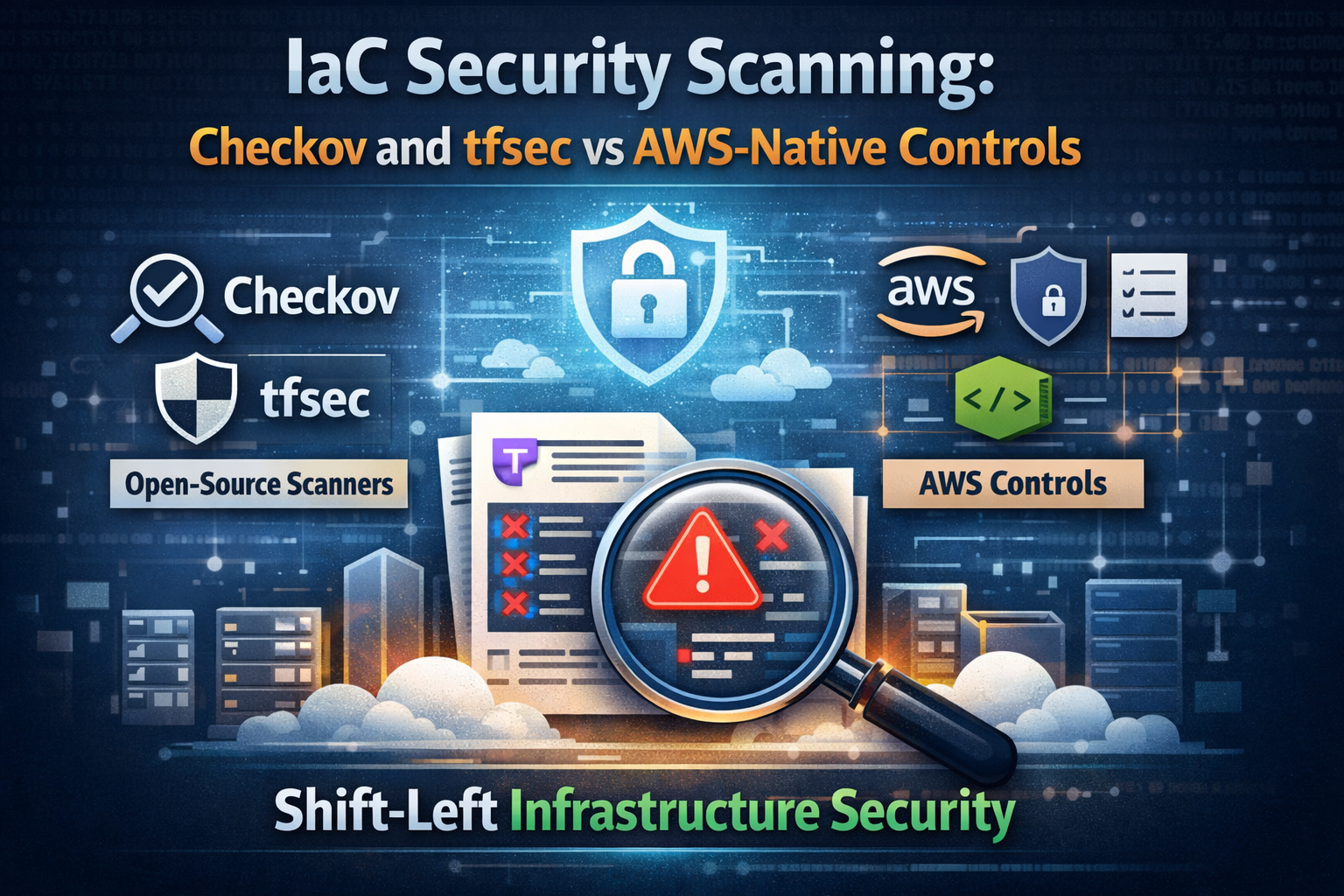 IaC security scanning defense-in-depth: pre-commit, CI/CD, and post-deploy continuous compliance
The Shift-Left Security Model for Infrastructure
What Shift-Left Means for IaC
Traditional infrastructure security operates reactively: deploy resources, then scan for misconfigurations after the fact. Shift-left inverts this model by embedding security validation directly into the development workflow:
- Pre-commit — Scan IaC files on the developer’s machine before code is pushed
- CI/CD pipeline — Automated security gates that block merges or deployments on policy violations
- Post-deployment — Continuous compliance monitoring to catch drift and runtime changes
Each layer catches what the previous one missed. Pre-commit hooks provide fast developer feedback. CI/CD gates enforce organizational policy. Post-deployment monitoring handles manual console changes and configuration drift.
Why OSS Scanners Lead the Shift-Left Movement
Open-source IaC scanners have a structural advantage over vendor-specific tools: community-driven rule sets grow faster and cover more frameworks. Checkov ships with over 2,500 built-in policies. Trivy (the successor to tfsec) integrates IaC scanning alongside container and dependency scanning in a single binary. These tools are cloud-agnostic, free, and extensible.
AWS-native tools like CloudFormation Guard and AWS Config Rules are essential complements, but they operate within the AWS ecosystem and require you to author or adopt rules from a smaller registry. The winning strategy is to run OSS scanners for breadth and AWS-native tools for depth on AWS-specific compliance.
AWS CloudFormation Guard: Capabilities and Limitations
What Is CloudFormation Guard?
AWS CloudFormation Guard (cfn-guard) is an open-source, general-purpose policy-as-code evaluation tool. Despite the name, it validates any JSON or YAML structured data — not just CloudFormation templates. You can use it against Terraform plan JSON output, Kubernetes manifests, or any structured configuration.
Guard uses a purpose-built domain-specific language (DSL) for writing rules. Guard 3.0 introduced stateful rules through built-in functions, advanced regex support, structured JSON/YAML output, and shell auto-completions.
Guard Rule Syntax
Guard rules are declarative and readable. Here is an example that enforces S3 bucket encryption:
1
2
3
4
5
6
7
8
9
10
11
12
13
14
15
16
17
18
19
# s3_encryption.guard
let s3_buckets = Resources.*[ Type == 'AWS::S3::Bucket' ]

rule s3_bucket_encryption_enabled when %s3_buckets !empty {
    %s3_buckets.Properties.BucketEncryption exists
    %s3_buckets.Properties.BucketEncryption.ServerSideEncryptionConfiguration[*] {
        ServerSideEncryptionByDefault.SSEAlgorithm in ["aws:kms", "AES256"]
    }
}

rule s3_bucket_public_access_blocked when %s3_buckets !empty {
    %s3_buckets.Properties.PublicAccessBlockConfiguration exists
    %s3_buckets.Properties.PublicAccessBlockConfiguration {
        BlockPublicAcls == true
        BlockPublicPolicy == true
        IgnorePublicAcls == true
        RestrictPublicBuckets == true
    }
}
Running Guard Locally
1
2
3
4
5
6
7
8
9
10
11
12
13
14
15
# Install cfn-guard
brew install cloudformation-guard

# Validate a CloudFormation template
cfn-guard validate \
  --data template.yaml \
  --rules rules/s3_encryption.guard \
  --output-format json

# Validate Terraform plan output
terraform plan -out=tfplan
terraform show -json tfplan > tfplan.json
cfn-guard validate \
  --data tfplan.json \
  --rules rules/terraform_rules.guard
Guard Rules Registry
AWS maintains the Guard Rules Registry, an open-source repository of rule sets mapped to compliance frameworks including CIS AWS Foundations Benchmark, NIST 800-53, PCI DSS, and HIPAA. This registry gives you a head start, but the total rule count is significantly smaller than what OSS scanners provide.
Limitations
- DSL learning curve: Guard’s rule language is purpose-built and unfamiliar to most teams
- Smaller rule ecosystem: The community-contributed rule set is a fraction of Checkov’s 2,500+ policies
- CloudFormation-centric: While it can parse any JSON/YAML, the tooling and documentation focus on CloudFormation
- No graph-based analysis: Guard evaluates resources individually and does not analyze cross-resource relationships
AWS Config Rules: Post-Deployment Compliance
AWS Config Rules provide continuous compliance monitoring for deployed resources. They operate as the final safety net in a defense-in-depth strategy.
How Config Rules Work
AWS Config continuously records resource configurations and evaluates them against rules. Rules can be AWS-managed (pre-built by AWS) or custom (Lambda-backed or Guard-based).
1
2
3
4
5
6
7
8
9
10
11
12
13
14
15
16
# Example: Enable the s3-bucket-server-side-encryption-enabled managed rule
aws configservice put-config-rule --config-rule '{
  "ConfigRuleName": "s3-bucket-encryption",
  "Source": {
    "Owner": "AWS",
    "SourceIdentifier": "S3_BUCKET_SERVER_SIDE_ENCRYPTION_ENABLED"
  },
  "Scope": {
    "ComplianceResourceTypes": ["AWS::S3::Bucket"]
  }
}'

# Check compliance status
aws configservice get-compliance-details-by-config-rule \
  --config-rule-name s3-bucket-encryption \
  --compliance-types NON_COMPLIANT
Config Rules with CloudFormation Guard
You can now use Guard rules directly as AWS Config custom rules, bridging pre-deployment and post-deployment scanning with the same policy language:
1
2
3
4
5
6
7
8
9
10
11
12
13
14
15
16
17
18
19
20
21
22
# CloudFormation template for a Guard-based Config rule
AWSTemplateFormatVersion: '2010-09-09'
Resources:
  S3EncryptionGuardRule:
    Type: AWS::Config::ConfigRule
    Properties:
      ConfigRuleName: s3-encryption-guard
      Source:
        Owner: CUSTOM_POLICY
        SourceDetails:
          - EventSource: aws.config
            MessageType: ConfigurationItemChangeNotification
        CustomPolicyDetails:
          PolicyRuntime: guard-2.x.x
          PolicyText: |
            rule s3_encrypted {
              resourceType == "AWS::S3::Bucket"
              configuration.ServerSideEncryptionConfiguration exists
            }
      Scope:
        ComplianceResourceTypes:
          - AWS::S3::Bucket
Limitations of Config Rules
- Post-deployment only: Config Rules evaluate after resources exist, not before
- Cost: Each rule evaluation costs $0.001 per evaluation ($0.10/month per active rule with daily recording)
- Latency: Evaluation can take minutes after a configuration change
- Remediation complexity: Auto-remediation requires additional Lambda functions or SSM Automation
Config Rules are essential for detecting drift and unauthorized manual changes, but they should not be your first line of defense.
Checkov Deep Dive
Overview
Checkov is the most comprehensive open-source IaC scanner available. Maintained by Palo Alto Networks (Bridgecrew), it ships with over 2,500 built-in policies covering AWS, Azure, GCP, Kubernetes, and general security best practices.
Key Differentiators
- Graph-based scanning: Checkov parses IaC files into a graph representation and evaluates cross-resource relationships. For example, it checks that an S3 bucket referenced by a CloudFront distribution has the correct origin access policy.
- Framework breadth: Supports Terraform, CloudFormation, Kubernetes, Helm, Dockerfiles, ARM templates, Serverless Framework, Bicep, and more.
- Compliance mapping: Built-in mapping to CIS, SOC2, HIPAA, PCI DSS, NIST 800-53, and ISO 27001.
- Custom check authoring: Write custom checks in Python or YAML.
- SCA integration: Scans open-source dependencies for vulnerabilities alongside IaC checks.
Running Checkov
1
2
3
4
5
6
7
8
9
10
11
12
13
14
15
16
17
18
19
20
# Install
pip install checkov

# Scan a Terraform directory
checkov -d ./terraform/ --framework terraform

# Scan with specific compliance framework
checkov -d ./terraform/ --check CIS_AWS

# Scan CloudFormation templates
checkov -f cloudformation-template.yaml --framework cloudformation

# Output in JUnit XML for CI/CD integration
checkov -d ./terraform/ -o junitxml > checkov-results.xml

# Skip specific checks
checkov -d ./terraform/ --skip-check CKV_AWS_18,CKV_AWS_19

# Scan with custom external checks
checkov -d ./terraform/ --external-checks-dir ./custom-checks/
Example: Scanning Terraform with Intentional Misconfigurations
Here is a Terraform file with several common security issues:
1
2
3
4
5
6
7
8
9
10
11
12
13
14
15
16
17
18
19
20
21
22
23
24
25
26
27
28
29
30
31
32
# main.tf - Intentionally insecure for demonstration
resource "aws_s3_bucket" "data" {
  bucket = "my-data-bucket"
  # Missing: encryption, versioning, public access block, logging
}

resource "aws_security_group" "web" {
  name = "web-sg"

  ingress {
    from_port   = 0
    to_port     = 0
    protocol    = "-1"
    cidr_blocks = ["0.0.0.0/0"]  # Open to the world
  }

  egress {
    from_port   = 0
    to_port     = 0
    protocol    = "-1"
    cidr_blocks = ["0.0.0.0/0"]
  }
}

resource "aws_db_instance" "main" {
  engine               = "mysql"
  instance_class       = "db.t3.micro"
  allocated_storage    = 20
  publicly_accessible  = true     # Database exposed to internet
  storage_encrypted    = false    # Unencrypted storage
  skip_final_snapshot  = true
}
Running Checkov against this file:
1
2
3
4
5
6
7
8
9
10
11
12
13
14
15
16
17
18
19
20
21
22
23
24
25
26
27
28
29
30
31
32
33
34
35
36
37
38
$ checkov -f main.tf

       _               _
   ___| |__   ___  ___| | _______   __
  / __| '_ \ / _ \/ __| |/ / _ \ \ / /
 | (__| | | |  __/ (__|   < (_) \ V /
  \___|_| |_|\___|\___|_|\_\___/ \_/

By Prisma Cloud | version: 3.2.x

terraform scan results:

Passed checks: 0, Failed checks: 12, Skipped checks: 0

Check: CKV_AWS_145: "Ensure S3 bucket is encrypted with KMS"
  FAILED for resource: aws_s3_bucket.data
  File: /main.tf:2-5

Check: CKV_AWS_18: "Ensure S3 bucket has access logging enabled"
  FAILED for resource: aws_s3_bucket.data
  File: /main.tf:2-5

Check: CKV_AWS_21: "Ensure S3 bucket has versioning enabled"
  FAILED for resource: aws_s3_bucket.data
  File: /main.tf:2-5

Check: CKV_AWS_260: "Ensure no security group allows ingress from 0.0.0.0/0 to all ports"
  FAILED for resource: aws_security_group.web
  File: /main.tf:7-21

Check: CKV_AWS_16: "Ensure RDS instance is encrypted at rest"
  FAILED for resource: aws_db_instance.main
  File: /main.tf:23-31

Check: CKV_AWS_17: "Ensure RDS instance is not publicly accessible"
  FAILED for resource: aws_db_instance.main
  File: /main.tf:23-31
...
Writing Custom Checkov Checks in Python
1
2
3
4
5
6
7
8
9
10
11
12
13
14
15
16
17
18
19
20
21
22
23
24
25
26
27
28
# custom_checks/s3_naming_convention.py
from checkov.terraform.checks.resource.base_resource_check import BaseResourceCheck
from checkov.common.models.enums import CheckCategories, CheckResult


class S3NamingConvention(BaseResourceCheck):
    """Ensure S3 buckets follow organizational naming convention."""

    def __init__(self):
        name = "Ensure S3 bucket follows naming convention: {env}-{app}-{purpose}"
        id = "CKV_CUSTOM_1"
        supported_resources = ["aws_s3_bucket"]
        categories = [CheckCategories.CONVENTION]
        super().__init__(name=name, id=id,
                         categories=categories,
                         supported_resources=supported_resources)

    def scan_resource_conf(self, conf):
        bucket_name = conf.get("bucket", [""])[0]
        # Enforce pattern: env-app-purpose
        import re
        pattern = r"^(dev|staging|prod)-[a-z]+-[a-z]+$"
        if re.match(pattern, bucket_name):
            return CheckResult.PASSED
        return CheckResult.FAILED


check = S3NamingConvention()
Writing Custom Checkov Checks in YAML
1
2
3
4
5
6
7
8
9
10
11
12
13
14
15
16
17
18
19
20
21
22
# custom_checks/s3_tags_required.yaml
metadata:
  id: "CKV_CUSTOM_2"
  name: "Ensure S3 buckets have required tags"
  category: "GENERAL_SECURITY"
definition:
  and:
    - cond_type: "attribute"
      resource_types:
        - "aws_s3_bucket"
      attribute: "tags.Environment"
      operator: "exists"
    - cond_type: "attribute"
      resource_types:
        - "aws_s3_bucket"
      attribute: "tags.Owner"
      operator: "exists"
    - cond_type: "attribute"
      resource_types:
        - "aws_s3_bucket"
      attribute: "tags.Application"
      operator: "exists"
tfsec and Trivy IaC Scanning
The tfsec to Trivy Transition
tfsec was one of the first purpose-built Terraform security scanners, acquired by Aqua Security in 2021. In 2023, Aqua merged tfsec’s scanning engine into Trivy, their unified security scanner. While tfsec remains available as a standalone CLI, all new development happens in Trivy. The community is encouraged to migrate.
The migration path is straightforward: Trivy includes every security check available in tfsec, plus additional capabilities for scanning containers, dependencies, SBOM generation, and Kubernetes cluster scanning — all in a single binary.
Running Trivy for IaC Scanning
1
2
3
4
5
6
7
8
9
10
11
12
13
14
15
16
17
18
19
20
# Install Trivy
brew install trivy

# Scan a Terraform directory
trivy config ./terraform/

# Scan with specific severity threshold
trivy config --severity HIGH,CRITICAL ./terraform/

# Scan CloudFormation templates
trivy config ./cloudformation/

# Scan Kubernetes manifests
trivy config ./k8s-manifests/

# Output in SARIF format for GitHub Security tab
trivy config --format sarif --output trivy-results.sarif ./terraform/

# Scan with custom Rego policies
trivy config --policy ./custom-policies/ ./terraform/
Example Trivy Output
1
2
3
4
5
6
7
8
9
10
11
12
13
14
15
16
17
18
19
20
21
22
23
24
25
26
27
28
29
$ trivy config ./terraform/

2026-04-01T10:00:00.000Z  INFO  Misconfiguration scanning is enabled

main.tf (terraform)
===================
Tests: 24 (SUCCESSES: 12, FAILURES: 12, EXCEPTIONS: 0)
Failures: 12 (HIGH: 6, CRITICAL: 3, MEDIUM: 2, LOW: 1)

CRITICAL: S3 bucket does not have encryption enabled
════════════════════════════════════════════════════
S3 Buckets should be encrypted to protect data at rest.

See https://avd.aquasec.com/misconfig/avd-aws-0088

 ──────────────────────────────────────────────
  main.tf:2-5
 ──────────────────────────────────────────────
   2 │ resource "aws_s3_bucket" "data" {
   3 │   bucket = "my-data-bucket"
   4 │ }
 ──────────────────────────────────────────────

HIGH: Security group rule allows ingress from 0.0.0.0/0
════════════════════════════════════════════════════════
Opening to the world is rarely a good idea.

See https://avd.aquasec.com/misconfig/avd-aws-0107
...
Custom Rego Policies for Trivy
Trivy uses Open Policy Agent (OPA) Rego for custom policies, which is more widely adopted than Checkov’s Python checks:
1
2
3
4
5
6
7
8
9
10
11
12
13
14
15
16
17
18
19
20
21
22
23
24
25
# custom-policies/s3_lifecycle.rego
package user.terraform.s3

import rego.v1

__rego_metadata__ := {
    "id": "CUSTOM-001",
    "title": "S3 buckets must have lifecycle policies",
    "severity": "MEDIUM",
    "type": "Terraform Security Check",
}

__rego_input__ := {
    "combine": false,
    "selector": [{"type": "defsec", "subtypes": [{"service": "s3", "provider": "aws"}]}],
}

deny contains res if {
    bucket := input.aws.s3.buckets[_]
    count(bucket.lifecycleconfig.rules) == 0
    res := result.new(
        "S3 bucket does not have a lifecycle policy configured",
        bucket,
    )
}
Comparison Table
| Feature | Checkov | Trivy (tfsec) | CloudFormation Guard | AWS Config Rules |
|---|---|---|---|---|
| Built-in Rules | 2,500+ | 1,500+ | ~350 (registry) | ~300 managed |
| Terraform | Yes | Yes | Via JSON plan | No |
| CloudFormation | Yes | Yes | Yes (native) | N/A (post-deploy) |
| Kubernetes | Yes | Yes | Yes (JSON/YAML) | No |
| Helm Charts | Yes | Yes | No | No |
| Dockerfiles | Yes | Yes | No | No |
| ARM Templates | Yes | Yes | No | No |
| Graph Analysis | Yes | No | No | No |
| Custom Rules | Python + YAML | Rego (OPA) | Guard DSL | Lambda + Guard |
| SCA/Dependencies | Yes | Yes | No | No |
| Compliance Frameworks | CIS, SOC2, HIPAA, PCI, NIST, ISO 27001 | CIS, PCI, HIPAA | CIS, NIST, PCI, HIPAA | CIS, PCI (limited) |
| CI/CD Integration | Native | Native | CLI-based | Post-deploy only |
| Cost | Free (OSS) | Free (OSS) | Free (OSS) | $0.001/evaluation |
| Multi-Cloud | AWS, Azure, GCP | AWS, Azure, GCP | AWS-focused | AWS only |
| SARIF Output | Yes | Yes | No (JSON/YAML) | No |
| IDE Plugins | VS Code, JetBrains | VS Code | No | No |
Pre-Commit Hook Integration
Pre-commit hooks provide the fastest feedback loop. Developers catch issues before code leaves their machine.
Pre-Commit Configuration
1
2
3
4
5
6
7
8
9
10
11
12
13
14
15
16
17
18
19
20
21
22
23
24
25
26
27
28
29
30
31
32
33
34
35
36
37
38
39
40
41
# .pre-commit-config.yaml
repos:
  # Checkov
  - repo: https://github.com/bridgecrewio/checkov
    rev: '3.2.0'
    hooks:
      - id: checkov
        args: [
          '--framework', 'terraform',
          '--skip-check', 'CKV_AWS_18',  # Skip if logging is handled elsewhere
          '--quiet',
          '--compact'
        ]

  # Trivy IaC scanning
  - repo: https://github.com/antonbabenko/pre-commit-terraform
    rev: v1.96.0
    hooks:
      - id: terraform_trivy
        args:
          - --args=--severity=HIGH,CRITICAL
          - --args=--skip-dirs=modules/deprecated

  # CloudFormation Guard
  - repo: local
    hooks:
      - id: cfn-guard
        name: CloudFormation Guard
        entry: cfn-guard validate --data
        language: system
        files: '\.ya?ml$'
        args: ['--rules', 'guard-rules/']
        types: [file]

  # Terraform formatting and validation
  - repo: https://github.com/antonbabenko/pre-commit-terraform
    rev: v1.96.0
    hooks:
      - id: terraform_fmt
      - id: terraform_validate
      - id: terraform_tflint
Installing and Running Pre-Commit
1
2
3
4
5
6
7
8
9
10
11
# Install pre-commit
pip install pre-commit

# Install hooks in your repository
pre-commit install

# Run against all files (initial scan)
pre-commit run --all-files

# Run specific hook
pre-commit run checkov --all-files
CI/CD Pipeline Integration
GitHub Actions Workflow
1
2
3
4
5
6
7
8
9
10
11
12
13
14
15
16
17
18
19
20
21
22
23
24
25
26
27
28
29
30
31
32
33
34
35
36
37
38
39
40
41
42
43
44
45
46
47
48
49
50
51
52
53
54
55
56
57
58
59
60
61
62
63
64
65
66
67
68
69
70
71
72
73
74
75
76
77
78
79
80
81
82
# .github/workflows/iac-security.yml
name: IaC Security Scanning

on:
  pull_request:
    paths:
      - 'terraform/**'
      - 'cloudformation/**'

jobs:
  checkov:
    name: Checkov IaC Scan
    runs-on: ubuntu-latest
    steps:
      - uses: actions/checkout@v4

      - name: Run Checkov
        uses: bridgecrewio/checkov-action@v12
        with:
          directory: terraform/
          framework: terraform
          output_format: cli,sarif
          output_file_path: console,checkov-results.sarif
          soft_fail: false
          skip_check: CKV_AWS_18

      - name: Upload SARIF
        if: always()
        uses: github/codeql-action/upload-sarif@v3
        with:
          sarif_file: checkov-results.sarif

  trivy:
    name: Trivy IaC Scan
    runs-on: ubuntu-latest
    steps:
      - uses: actions/checkout@v4

      - name: Run Trivy IaC scan
        uses: aquasecurity/trivy-action@master
        with:
          scan-type: 'config'
          scan-ref: 'terraform/'
          severity: 'HIGH,CRITICAL'
          format: 'sarif'
          output: 'trivy-results.sarif'
          exit-code: '1'

      - name: Upload SARIF
        if: always()
        uses: github/codeql-action/upload-sarif@v3
        with:
          sarif_file: trivy-results.sarif

  cfn-guard:
    name: CloudFormation Guard
    runs-on: ubuntu-latest
    steps:
      - uses: actions/checkout@v4

      - name: Install cfn-guard
        run: |
          curl --proto '=https' --tlsv1.2 -sSf \
            https://raw.githubusercontent.com/aws-cloudformation/cloudformation-guard/main/install-guard.sh \
            | sh
          export PATH=~/.guard/bin:$PATH

      - name: Validate CloudFormation templates
        run: |
          cfn-guard validate \
            --data cloudformation/ \
            --rules guard-rules/ \
            --output-format json \
            --structured

  security-gate:
    name: Security Gate
    needs: [checkov, trivy, cfn-guard]
    runs-on: ubuntu-latest
    steps:
      - name: All security checks passed
        run: echo "All IaC security scans passed. Safe to deploy."
AWS CodeBuild Buildspec
For teams using AWS-native CI/CD, here is a CodeBuild buildspec that integrates Checkov and cfn-guard:
1
2
3
4
5
6
7
8
9
10
11
12
13
14
15
16
17
18
19
20
21
22
23
24
25
26
27
28
29
30
31
32
33
34
35
36
37
38
39
40
41
42
43
44
45
46
47
48
49
50
51
52
53
54
55
56
57
58
59
60
61
62
63
64
65
66
67
# buildspec-security.yml
version: 0.2

env:
  variables:
    CHECKOV_SKIP: "CKV_AWS_18"

phases:
  install:
    runtime-versions:
      python: 3.12
    commands:
      - pip install checkov
      - curl --proto '=https' --tlsv1.2 -sSf
          https://raw.githubusercontent.com/aws-cloudformation/cloudformation-guard/main/install-guard.sh
          | sh
      - export PATH=~/.guard/bin:$PATH
      - curl -sfL https://raw.githubusercontent.com/aquasecurity/trivy/main/contrib/install.sh
          | sh -s -- -b /usr/local/bin

  pre_build:
    commands:
      - echo "Running IaC security scans..."

      # Checkov scan
      - |
        checkov -d ./terraform/ \
          --framework terraform \
          --skip-check $CHECKOV_SKIP \
          --output cli \
          --output junitxml \
          --output-file-path console,checkov-results.xml \
          --compact

      # Trivy IaC scan
      - |
        trivy config ./terraform/ \
          --severity HIGH,CRITICAL \
          --exit-code 1 \
          --format json \
          --output trivy-results.json

      # CloudFormation Guard validation
      - |
        cfn-guard validate \
          --data ./cloudformation/ \
          --rules ./guard-rules/ \
          --output-format json > guard-results.json

  build:
    commands:
      - echo "Security scans passed. Proceeding with deployment..."
      - terraform init
      - terraform plan -out=tfplan

reports:
  checkov-report:
    files:
      - checkov-results.xml
    file-format: JUNITXML

artifacts:
  files:
    - checkov-results.xml
    - trivy-results.json
    - guard-results.json
  name: security-scan-results
Custom Policy Authoring
Each tool takes a different approach to custom policies. Choose based on your team’s existing skills.
Checkov: Python or YAML
Python checks give you full programmatic control:
1
2
3
4
5
6
7
8
9
10
11
12
13
14
15
16
17
18
19
20
21
22
23
24
25
26
27
# checks/rds_deletion_protection.py
from checkov.terraform.checks.resource.base_resource_check import BaseResourceCheck
from checkov.common.models.enums import CheckCategories, CheckResult


class RDSDeletionProtection(BaseResourceCheck):
    """Ensure RDS instances have deletion protection enabled in production."""

    def __init__(self):
        name = "Ensure RDS has deletion protection enabled"
        id = "CKV_CUSTOM_10"
        supported_resources = ["aws_db_instance"]
        categories = [CheckCategories.BACKUP_AND_RECOVERY]
        super().__init__(name=name, id=id,
                         categories=categories,
                         supported_resources=supported_resources)

    def scan_resource_conf(self, conf):
        deletion_protection = conf.get("deletion_protection", [False])
        if isinstance(deletion_protection, list):
            deletion_protection = deletion_protection[0]
        if deletion_protection is True:
            return CheckResult.PASSED
        return CheckResult.FAILED


check = RDSDeletionProtection()
Trivy: Rego (OPA)
Rego is the standard policy language across the cloud-native ecosystem:
1
2
3
4
5
6
7
8
9
10
11
12
13
14
15
16
17
18
19
20
21
22
23
24
25
# policies/rds_multi_az.rego
package user.terraform.rds

import rego.v1

__rego_metadata__ := {
    "id": "CUSTOM-010",
    "title": "RDS instances should use Multi-AZ for production",
    "severity": "HIGH",
    "type": "Terraform Security Check",
}

__rego_input__ := {
    "combine": false,
    "selector": [{"type": "defsec", "subtypes": [{"service": "rds", "provider": "aws"}]}],
}

deny contains res if {
    instance := input.aws.rds.instances[_]
    not instance.multiaz.value
    res := result.new(
        "RDS instance does not have Multi-AZ enabled",
        instance,
    )
}
CloudFormation Guard: Guard DSL
Guard DSL is declarative and purpose-built for infrastructure validation:
1
2
3
4
5
6
7
8
9
10
11
12
13
14
15
16
17
18
19
20
21
22
23
24
25
26
27
28
# rules/rds_security.guard
let rds_instances = Resources.*[ Type == 'AWS::RDS::DBInstance' ]

rule rds_encryption_required when %rds_instances !empty {
    %rds_instances.Properties.StorageEncrypted == true
        << RDS instances must have storage encryption enabled >>
}

rule rds_no_public_access when %rds_instances !empty {
    %rds_instances.Properties.PubliclyAccessible == false
        << RDS instances must not be publicly accessible >>
}

rule rds_backup_retention when %rds_instances !empty {
    %rds_instances.Properties.BackupRetentionPeriod >= 7
        << RDS backup retention must be at least 7 days >>
}

rule rds_multi_az_production when %rds_instances !empty {
    %rds_instances.Properties {
        when Tags[*].Key == "Environment" {
            when Tags[*].Value == "production" {
                MultiAZ == true
                    << Production RDS instances must use Multi-AZ >>
            }
        }
    }
}
Defense-in-Depth: The Complete Scanning Architecture
The strongest IaC security posture layers all three scanning stages. Here is how to architect the full pipeline:
Layer 1: Pre-Commit (Developer Machine)
- Tools: Checkov, Trivy, cfn-guard
- Purpose: Immediate feedback before code is committed
- Behavior: Block commit on CRITICAL/HIGH findings
- Speed: Must complete in under 30 seconds for developer adoption
Layer 2: CI/CD Pipeline (Automated Gate)
- Tools: Checkov (full scan), Trivy (full scan), cfn-guard (CloudFormation validation)
- Purpose: Enforce organizational policy on every pull request
- Behavior: Block merge/deploy on any policy violation
- Integration: SARIF output to GitHub Security tab, JUnit XML to build reports
- Speed: Full scan in 2-5 minutes is acceptable
Layer 3: Post-Deploy (Continuous Compliance)
- Tools: AWS Config Rules (managed + custom Guard rules), Security Hub
- Purpose: Detect configuration drift and manual console changes
- Behavior: Alert or auto-remediate non-compliant resources
- Integration: Security Hub aggregates findings from Config, GuardDuty, Inspector
- Frequency: Daily recording for cost optimization, event-based for critical resources
Putting It Together
1
2
3
4
5
6
7
8
9
10
11
12
13
14
15
16
17
18
19
20
21
22
23
24
# Developer workflow:
# 1. Write Terraform code
# 2. Pre-commit hooks catch issues immediately
git commit -m "Add S3 bucket for data pipeline"
# checkov runs -> finds missing encryption -> blocks commit

# 3. Fix and recommit
git commit -m "Add encrypted S3 bucket for data pipeline"
# checkov passes -> trivy passes -> commit succeeds

# 4. Push and open PR
git push origin feature/data-pipeline
# GitHub Actions runs full Checkov + Trivy + cfn-guard scans
# Security gate must pass before merge is allowed

# 5. Merge and deploy
# Terraform applies through CodePipeline/GitHub Actions
# AWS Config Rules begin evaluating the new resources
# Security Hub aggregates compliance status

# 6. Ongoing monitoring
# Someone modifies the bucket via console -> Config detects drift
# Config Rule marks resource NON_COMPLIANT
# Security Hub alert fires -> SNS notification -> team investigates
Coverage Matrix
| Misconfiguration Type | Pre-Commit | CI/CD | Post-Deploy |
|---|---|---|---|
| Unencrypted storage | Checkov, Trivy | Checkov, Trivy | Config Rules |
| Open security groups | Checkov, Trivy | Checkov, Trivy | Config Rules |
| Public RDS instances | Checkov, Trivy | Checkov, Trivy | Config Rules |
| Missing tags | Checkov, Trivy | Checkov, Trivy | Config Rules |
| IAM over-permissions | Checkov (graph) | Checkov (graph) | IAM Access Analyzer |
| Cross-resource issues | Checkov (graph) | Checkov (graph) | Security Hub |
| Configuration drift | N/A | N/A | Config Rules |
| Manual console changes | N/A | N/A | Config Rules |
| Compliance violations | Checkov, cfn-guard | Checkov, cfn-guard | Config Rules |
Getting Started: Recommended Implementation Path
- Week 1: Install Checkov and Trivy locally. Run against your existing IaC to baseline findings.
- Week 2: Add pre-commit hooks with Checkov. Start with
--soft-failto avoid blocking developers immediately. - Week 3: Add Checkov and Trivy to your CI/CD pipeline as non-blocking checks. Review findings and suppress false positives.
- Week 4: Switch CI/CD checks to blocking (fail the build on HIGH/CRITICAL). Add cfn-guard for CloudFormation validation.
- Month 2: Enable AWS Config Rules for your top 10 compliance requirements. Integrate with Security Hub.
- Month 3: Write custom checks for organizational policies (naming conventions, tagging, required configurations). Remove
--soft-failfrom pre-commit.
Related Articles
- AWS DevSecOps Pipeline Security: Complete Automation Implementation Guide
- EKS Policy-as-Code: OPA vs Kyverno Kubernetes Security
- AWS Cloud Security Best Practices Implementation Guide
Conclusion
IaC security scanning is not a single-tool problem. AWS CloudFormation Guard provides native policy-as-code validation with a growing rules registry. AWS Config Rules deliver continuous post-deployment compliance monitoring. But open-source scanners like Checkov (2,500+ policies) and Trivy (the successor to tfsec with 1,500+ checks) offer unmatched breadth, multi-cloud portability, and community-driven rule velocity.
The defense-in-depth approach — pre-commit hooks, CI/CD security gates, and post-deployment Config Rules — catches misconfigurations at every stage. Start with OSS scanners for breadth, layer in AWS-native controls for depth, and write custom policies for your organization’s specific requirements.
The IaC security market is projected to reach $8.76 billion by 2033 because organizations are recognizing that catching a misconfiguration in code costs orders of magnitude less than remediating a breach in production. Shift left, scan early, scan often, and automate everything.
For more on building secure DevSecOps pipelines and implementing cloud security automation, connect with me on LinkedIn.