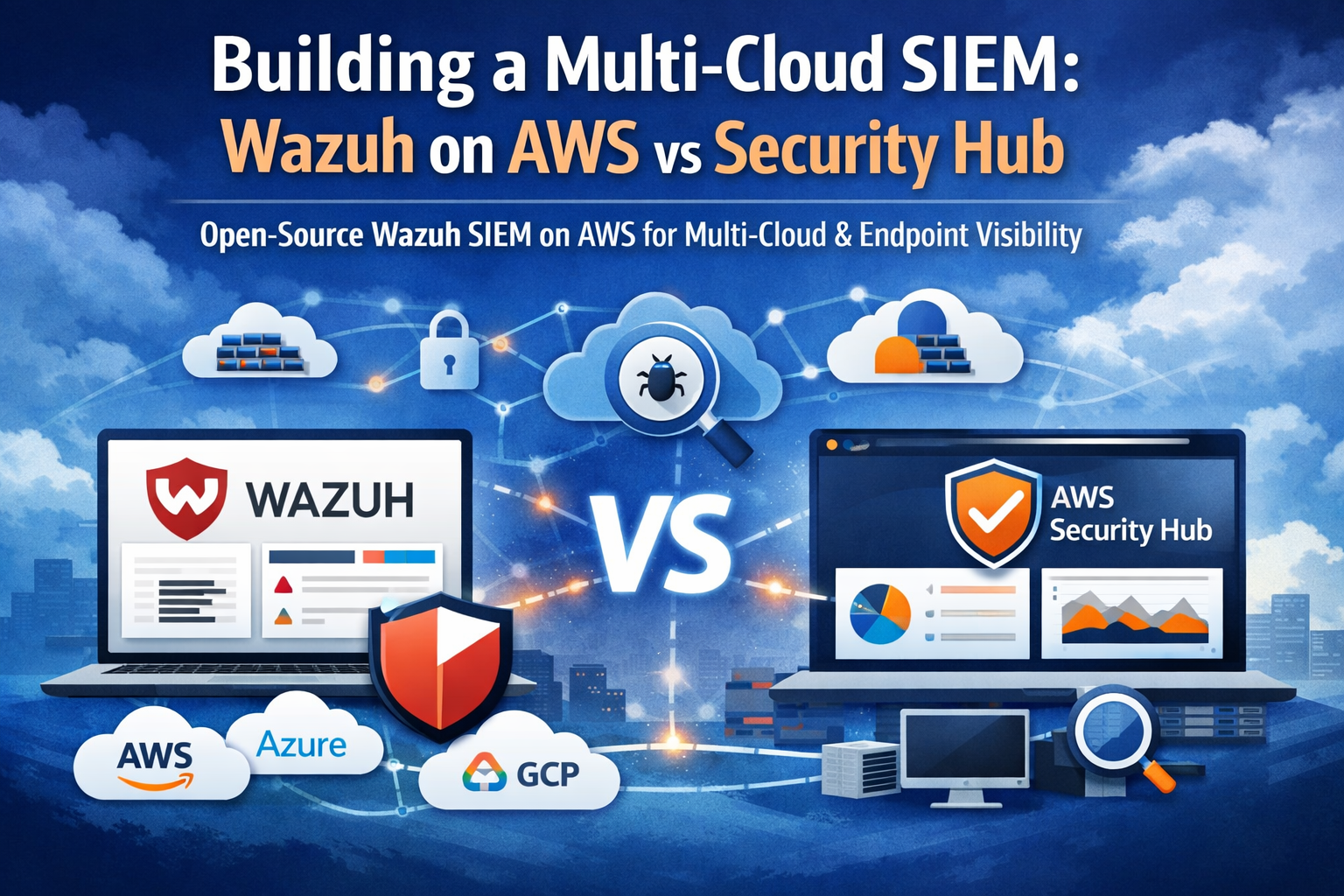
 Wazuh SIEM deployed on AWS alongside Security Hub for unified multi-cloud security monitoring
- Why Your SIEM Strategy Needs to Evolve
- AWS Security Hub: The AWS-Native Baseline
- Where Security Hub Falls Short
- Wazuh: The Open-Source SIEM That Sees Everything
- Deploying Wazuh on AWS
- Configuring Wazuh Agents for AWS Instances
- Feeding Security Hub Findings into Wazuh
- Wazuh vs Security Hub: Complete Comparison
- Real Monitoring Scenarios
- Cost Analysis
- Best Practices for Hybrid Deployment
- Implementation Roadmap
- Related Articles
- Conclusion
Why Your SIEM Strategy Needs to Evolve
The SIEM market generated USD 10.78 billion in revenue in 2025 and is forecast to reach USD 19.13 billion by 2030. That growth is not driven by hype — it is driven by the reality that 87% of organizations now operate in multi-cloud environments, and 61% experienced at least one cloud security incident in 2024. The average enterprise uses 2.1 public cloud providers, yet most security tools only see one slice of that infrastructure.
AWS Security Hub is a strong service for consolidating AWS-native security findings. But if your environment includes on-premises servers, endpoints, containers running outside AWS, or workloads on Azure and GCP, Security Hub leaves you blind. That is where Wazuh comes in — a fully open-source SIEM that sees everything, deployed on AWS infrastructure for the best of both worlds.
This guide breaks down both options, shows you how to deploy Wazuh on AWS, and demonstrates how to feed Security Hub findings into Wazuh for a unified security view across your entire estate.
AWS Security Hub: The AWS-Native Baseline
What Security Hub Does Well
AWS Security Hub is a cloud security posture management (CSPM) service that aggregates, organizes, and prioritizes security findings from across your AWS environment. At re:Invent 2025, AWS re-imagined Security Hub to unify GuardDuty, Inspector, and Macie into a single experience with near real-time risk analytics.
Core Capabilities:
- Automated Compliance Checks: Runs continuous evaluations against CIS AWS Foundations, PCI DSS, NIST 800-53, and AWS Foundational Security Best Practices
- Finding Aggregation: Correlates signals from GuardDuty, Inspector, Macie, and 80+ third-party integrations
- Attack Path Visualization: Automatically maps how adversaries could chain threats, vulnerabilities, and misconfigurations
- Risk Prioritization: Scores findings based on exploitability, resource criticality, and blast radius
- OCSF Schema: Findings formatted in Open Cybersecurity Schema Framework for interoperability
- Incident Management: Direct integration with Jira and ServiceNow for ticket creation
Setting Up Security Hub with CloudFormation
1
2
3
4
5
6
7
8
9
10
11
12
13
14
15
16
17
18
19
20
21
22
23
24
25
26
27
28
29
30
31
32
33
34
35
36
37
38
39
40
41
42
43
44
45
46
47
48
49
50
51
52
53
54
55
56
57
58
59
60
61
62
63
64
65
66
67
AWSTemplateFormatVersion: "2010-09-09"
Description: Security Hub with GuardDuty and Inspector integration

Resources:
  SecurityHub:
    Type: AWS::SecurityHub::Hub
    Properties:
      Tags:
        Customer: red-team-sh
        Application: security-monitoring
        Environment: production
        Owner: security-team
        Costcenter: security-ops

  SecurityHubStandard:
    Type: AWS::SecurityHub::Standard
    DependsOn: SecurityHub
    Properties:
      StandardsArn: !Sub "arn:aws:securityhub:${AWS::Region}::standards/aws-foundational-security-best-practices/v/1.0.0"

  SecurityHubCISStandard:
    Type: AWS::SecurityHub::Standard
    DependsOn: SecurityHub
    Properties:
      StandardsArn: !Sub "arn:aws:securityhub:${AWS::Region}::standards/cis-aws-foundations-benchmark/v/1.4.0"

  GuardDutyDetector:
    Type: AWS::GuardDuty::Detector
    Properties:
      Enable: true
      DataSources:
        S3Logs:
          Enable: true
        Kubernetes:
          AuditLogs:
            Enable: true
        MalwareProtection:
          ScanEc2InstanceWithFindings:
            EbsVolumes: true
      Tags:
        - Key: Customer
          Value: red-team-sh
        - Key: Application
          Value: security-monitoring

  InspectorEnablement:
    Type: AWS::Inspector2::Filter
    Properties:
      FilterAction: NONE
      Name: baseline-filter
      Description: Baseline Inspector filter for Security Hub integration
      FilterCriteria:
        ResourceType:
          - Comparison: EQUALS
            Value: AWS_EC2_INSTANCE
          - Comparison: EQUALS
            Value: AWS_ECR_CONTAINER_IMAGE
          - Comparison: EQUALS
            Value: AWS_LAMBDA_FUNCTION

Outputs:
  SecurityHubArn:
    Description: Security Hub ARN
    Value: !Ref SecurityHub
  GuardDutyDetectorId:
    Description: GuardDuty Detector ID
    Value: !Ref GuardDutyDetector
Security Hub Pricing (2026)
Security Hub uses pay-as-you-go pricing based on security checks and finding ingestion events:
| Component | Cost |
|---|---|
| Security checks | $0.0010 per check per month (first 100K), $0.0008 thereafter |
| Finding ingestion events | $0.00003 per event per month |
| GuardDuty (CloudTrail) | $4.00 per million events (first 5B) |
| GuardDuty (VPC Flow Logs) | $1.00 per million events (first 5B) |
| Inspector (EC2 scanning) | $0.60 per instance per month |
For a typical 50-account organization with 500 instances, expect $500-$2,000/month depending on event volume and enabled integrations.
Where Security Hub Falls Short
Security Hub is excellent at what it does, but it has structural limitations that matter for real-world security operations:
1. AWS-Only Visibility
Security Hub cannot ingest events from on-premises servers, Azure VMs, GCP instances, or employee endpoints. If an attacker compromises a developer laptop and pivots into your AWS environment, Security Hub only sees the AWS side of the attack chain.
2. No Endpoint Monitoring
There is no file integrity monitoring (FIM), no rootkit detection, no process monitoring. Security Hub tells you about misconfigurations and known threats — it does not watch what is actually happening on your hosts.
3. Limited Custom Detection Rules
You can create custom insights and automation rules, but Security Hub is not designed for writing complex correlation rules across disparate log sources. Its detection logic is primarily driven by the findings that upstream services (GuardDuty, Inspector) generate.
4. No Active Response
Security Hub can trigger Lambda functions through EventBridge, but it has no built-in active response capability like blocking an IP, quarantining a file, or killing a process on an endpoint.
5. Vendor Lock-In
Your entire security detection capability is tied to AWS. If you move workloads to another provider, or need to maintain visibility during a cloud migration, your SIEM goes with it.
Wazuh: The Open-Source SIEM That Sees Everything
From OSSEC to Wazuh
Wazuh was forked from OSSEC in 2015 to address the limitations of the aging host-based intrusion detection system that had been in maintenance mode with minimal development. Since then, Wazuh has accumulated over 40,000 commits — more than 30,000 ahead of OSSEC — and evolved into a full SIEM/XDR platform.
The latest release (4.14.1, November 2025) includes IAM role support for VPC flow logs, eBPF-based file integrity monitoring, ARM architecture support, CISA-sourced vulnerability prioritization, and an IT Hygiene dashboard for centralized asset visibility.
Wazuh Architecture
Wazuh consists of four core components that can be distributed across multiple nodes for high availability and scale:
Wazuh Manager — The central processing engine that receives events from agents, applies decoders and rules, triggers alerts, and manages agent configurations. In a cluster deployment, a master node handles configuration distribution while worker nodes process agent events.
Wazuh Agent — A lightweight agent (under 50MB memory footprint) deployed on monitored endpoints. Supports Linux, Windows, macOS, Solaris, AIX, and HP-UX. Agents collect logs, monitor file integrity, detect rootkits, inventory software, and assess vulnerabilities locally before forwarding events.
Wazuh Indexer — A fork of OpenSearch that stores alerts, events, and monitoring data. Provides full-text search, analytics, and the data layer for dashboards. Supports index lifecycle management and snapshot-based backups.
Wazuh Dashboard — A fork of OpenSearch Dashboards providing visualization, threat hunting, compliance reporting, and agent management through a web interface.
What Wazuh Monitors
| Capability | Description |
|---|---|
| Log Analysis | Collects and analyzes logs from OS, applications, and cloud services |
| File Integrity Monitoring | Detects changes to critical files using eBPF (Linux) or audit subsystem |
| Vulnerability Detection | Scans installed packages against CVE databases with CISA prioritization |
| Rootkit Detection | Scans for rootkits, trojans, and hidden processes |
| Security Configuration Assessment | Evaluates system configurations against CIS benchmarks |
| Active Response | Automatically blocks IPs, quarantines files, or runs custom scripts |
| Compliance Reporting | Built-in dashboards for PCI DSS, HIPAA, GDPR, NIST 800-53, TSC |
| Cloud Security | Native modules for AWS (CloudTrail, VPC, WAF, Config), Azure, and GCP |
| Container Security | Docker runtime monitoring, Kubernetes audit log analysis |
| Inventory | Hardware, software, network interfaces, open ports, running processes |
Deploying Wazuh on AWS
There are three primary deployment options for running Wazuh on AWS. Each has tradeoffs around control, cost, and operational overhead.
Option 1: Docker Compose on EC2 (Recommended for Getting Started)
The fastest path to a production-capable Wazuh deployment. Use a single EC2 instance for smaller environments (up to 100 agents) or distribute components across multiple instances for scale.
1
2
3
4
5
6
7
8
9
10
11
12
13
14
15
16
17
18
19
20
21
22
23
24
25
26
27
28
29
30
31
32
33
34
35
36
37
38
39
40
41
42
43
44
45
46
47
48
49
50
51
52
53
54
55
56
57
58
59
60
61
62
63
64
65
66
67
68
69
70
71
72
73
74
75
76
77
78
79
80
81
82
83
84
85
86
87
88
89
90
91
92
93
94
95
96
97
98
99
100
101
102
103
104
105
106
107
108
109
# docker-compose.yml - Wazuh All-in-One on EC2
version: "3.8"

services:
  wazuh.manager:
    image: wazuh/wazuh-manager:4.14.1
    hostname: wazuh.manager
    restart: always
    ulimits:
      memlock:
        soft: -1
        hard: -1
      nofile:
        soft: 655360
        hard: 655360
    ports:
      - "1514:1514"       # Agent communication
      - "1515:1515"       # Agent enrollment
      - "514:514/udp"     # Syslog collection
      - "55000:55000"     # Wazuh API
    environment:
      INDEXER_URL: "https://wazuh.indexer:9200"
      INDEXER_USERNAME: "admin"
      INDEXER_PASSWORD: "${WAZUH_INDEXER_PASSWORD}"
      FILEBEAT_SSL_VERIFICATION_MODE: "full"
      SSL_CERTIFICATE_AUTHORITIES: "/etc/ssl/root-ca.pem"
      SSL_CERTIFICATE: "/etc/ssl/filebeat.pem"
      SSL_KEY: "/etc/ssl/filebeat.key"
      API_USERNAME: "wazuh-wui"
      API_PASSWORD: "${WAZUH_API_PASSWORD}"
    volumes:
      - wazuh_api_configuration:/var/ossec/api/configuration
      - wazuh_etc:/var/ossec/etc
      - wazuh_logs:/var/ossec/logs
      - wazuh_queue:/var/ossec/queue
      - wazuh_var_multigroups:/var/ossec/var/multigroups
      - wazuh_integrations:/var/ossec/integrations
      - wazuh_active_response:/var/ossec/active-response/bin
      - wazuh_agentless:/var/ossec/agentless
      - wazuh_wodles:/var/ossec/wodles
      - filebeat_etc:/etc/filebeat
      - filebeat_var:/var/lib/filebeat
    networks:
      - wazuh-net

  wazuh.indexer:
    image: wazuh/wazuh-indexer:4.14.1
    hostname: wazuh.indexer
    restart: always
    ulimits:
      memlock:
        soft: -1
        hard: -1
      nofile:
        soft: 65536
        hard: 65536
    ports:
      - "9200:9200"
    environment:
      OPENSEARCH_JAVA_OPTS: "-Xms2g -Xmx2g"
      bootstrap.memory_lock: "true"
      discovery.type: "single-node"
      plugins.security.ssl.http.pemcert_filepath: "/usr/share/wazuh-indexer/certs/wazuh.indexer.pem"
      plugins.security.ssl.http.pemkey_filepath: "/usr/share/wazuh-indexer/certs/wazuh.indexer-key.pem"
      plugins.security.ssl.http.pemtrustedcas_filepath: "/usr/share/wazuh-indexer/certs/root-ca.pem"
    volumes:
      - wazuh_indexer_data:/var/lib/wazuh-indexer
    networks:
      - wazuh-net

  wazuh.dashboard:
    image: wazuh/wazuh-dashboard:4.14.1
    hostname: wazuh.dashboard
    restart: always
    ports:
      - "443:5601"
    environment:
      INDEXER_USERNAME: "admin"
      INDEXER_PASSWORD: "${WAZUH_INDEXER_PASSWORD}"
      WAZUH_API_URL: "https://wazuh.manager"
      DASHBOARD_USERNAME: "kibanaserver"
      DASHBOARD_PASSWORD: "${WAZUH_DASHBOARD_PASSWORD}"
      API_USERNAME: "wazuh-wui"
      API_PASSWORD: "${WAZUH_API_PASSWORD}"
    volumes:
      - dashboard_certs:/usr/share/wazuh-dashboard/certs
    depends_on:
      - wazuh.indexer
    networks:
      - wazuh-net

volumes:
  wazuh_api_configuration:
  wazuh_etc:
  wazuh_logs:
  wazuh_queue:
  wazuh_var_multigroups:
  wazuh_integrations:
  wazuh_active_response:
  wazuh_agentless:
  wazuh_wodles:
  filebeat_etc:
  filebeat_var:
  wazuh_indexer_data:
  dashboard_certs:

networks:
  wazuh-net:
    driver: bridge
Option 2: Terraform for Production Infrastructure
For production deployments, use Terraform to provision the underlying infrastructure with proper networking, load balancing, and security controls.
1
2
3
4
5
6
7
8
9
10
11
12
13
14
15
16
17
18
19
20
21
22
23
24
25
26
27
28
29
30
31
32
33
34
35
36
37
38
39
40
41
42
43
44
45
46
47
48
49
50
51
52
53
54
55
56
57
58
59
60
61
62
63
64
65
66
67
68
69
70
71
72
73
74
75
76
77
78
79
80
81
82
83
84
85
86
87
88
89
90
91
92
93
94
95
96
97
98
99
100
101
102
103
104
105
106
107
108
109
110
111
112
113
114
115
116
117
118
119
120
121
122
123
124
125
126
127
128
129
130
131
132
133
134
135
136
137
138
139
140
141
142
143
144
145
146
147
148
149
150
151
152
153
154
155
156
157
158
159
160
161
162
163
164
165
166
167
168
169
170
171
172
173
174
175
176
177
178
179
180
181
182
183
184
185
186
187
188
189
190
191
192
193
194
195
196
197
198
199
200
201
202
203
204
205
206
207
208
209
210
211
212
213
214
215
216
217
218
219
220
221
222
223
224
225
226
227
228
229
230
231
232
233
234
235
236
237
238
239
240
241
242
243
244
245
246
247
248
249
250
251
252
253
254
255
256
257
258
259
260
261
262
263
264
265
266
267
268
269
270
271
272
273
274
275
276
277
278
279
280
281
282
283
284
285
286
287
288
289
290
291
292
293
294
295
296
297
298
299
300
301
302
303
304
305
306
307
308
309
310
311
312
313
314
315
316
317
318
319
320
321
322
323
324
325
326
327
328
329
330
331
332
333
334
335
336
337
338
339
340
341
342
343
344
345
346
347
348
349
350
351
352
353
354
355
356
357
358
359
360
361
362
363
364
365
366
367
368
369
370
371
372
373
374
375
376
377
378
379
380
381
382
383
384
385
386
387
388
389
390
391
392
393
394
395
396
397
398
399
400
401
402
403
404
405
406
407
408
409
410
411
412
413
414
415
416
# main.tf - Wazuh Production Infrastructure on AWS

terraform {
  required_version = ">= 1.5"
  required_providers {
    aws = {
      source  = "hashicorp/aws"
      version = "~> 5.0"
    }
  }
  backend "s3" {
    bucket = "skynet-tf-state-prod"
    key    = "wazuh/terraform.tfstate"
    region = "us-east-1"
  }
}

provider "aws" {
  region = var.aws_region
}

variable "aws_region" {
  default = "us-east-1"
}

variable "environment" {
  default = "production"
}

variable "wazuh_instance_type" {
  default     = "c5a.xlarge"
  description = "Instance type for Wazuh manager - c5a.xlarge recommended"
}

variable "indexer_instance_type" {
  default     = "r5.xlarge"
  description = "Instance type for Wazuh indexer - memory optimized"
}

# -------------------------------------------------------------------
# VPC and Networking
# -------------------------------------------------------------------

resource "aws_vpc" "wazuh" {
  cidr_block           = "10.10.0.0/16"
  enable_dns_hostnames = true
  enable_dns_support   = true

  tags = {
    Name        = "wazuh-vpc"
    Customer    = "red-team-sh"
    Application = "wazuh-siem"
    Environment = var.environment
    Owner       = "security-team"
    Costcenter  = "security-ops"
  }
}

resource "aws_subnet" "wazuh_public_a" {
  vpc_id                  = aws_vpc.wazuh.id
  cidr_block              = "10.10.1.0/24"
  availability_zone       = "${var.aws_region}a"
  map_public_ip_on_launch = false

  tags = {
    Name        = "wazuh-public-a"
    Customer    = "red-team-sh"
    Application = "wazuh-siem"
    Environment = var.environment
    Owner       = "security-team"
    Costcenter  = "security-ops"
  }
}

resource "aws_subnet" "wazuh_public_b" {
  vpc_id                  = aws_vpc.wazuh.id
  cidr_block              = "10.10.2.0/24"
  availability_zone       = "${var.aws_region}b"
  map_public_ip_on_launch = false

  tags = {
    Name        = "wazuh-public-b"
    Customer    = "red-team-sh"
    Application = "wazuh-siem"
    Environment = var.environment
    Owner       = "security-team"
    Costcenter  = "security-ops"
  }
}

resource "aws_internet_gateway" "wazuh" {
  vpc_id = aws_vpc.wazuh.id

  tags = {
    Name        = "wazuh-igw"
    Customer    = "red-team-sh"
    Application = "wazuh-siem"
    Environment = var.environment
    Owner       = "security-team"
    Costcenter  = "security-ops"
  }
}

resource "aws_route_table" "wazuh_public" {
  vpc_id = aws_vpc.wazuh.id

  route {
    cidr_block = "0.0.0.0/0"
    gateway_id = aws_internet_gateway.wazuh.id
  }

  tags = {
    Name        = "wazuh-public-rt"
    Customer    = "red-team-sh"
    Application = "wazuh-siem"
    Environment = var.environment
    Owner       = "security-team"
    Costcenter  = "security-ops"
  }
}

resource "aws_route_table_association" "wazuh_public_a" {
  subnet_id      = aws_subnet.wazuh_public_a.id
  route_table_id = aws_route_table.wazuh_public.id
}

resource "aws_route_table_association" "wazuh_public_b" {
  subnet_id      = aws_subnet.wazuh_public_b.id
  route_table_id = aws_route_table.wazuh_public.id
}

# -------------------------------------------------------------------
# Security Groups
# -------------------------------------------------------------------

resource "aws_security_group" "wazuh_alb" {
  name_prefix = "wazuh-alb-"
  vpc_id      = aws_vpc.wazuh.id

  ingress {
    description = "HTTPS from anywhere"
    from_port   = 443
    to_port     = 443
    protocol    = "tcp"
    cidr_blocks = ["0.0.0.0/0"]
  }

  egress {
    from_port   = 0
    to_port     = 0
    protocol    = "-1"
    cidr_blocks = ["0.0.0.0/0"]
  }

  tags = {
    Name        = "wazuh-alb-sg"
    Customer    = "red-team-sh"
    Application = "wazuh-siem"
    Environment = var.environment
    Owner       = "security-team"
    Costcenter  = "security-ops"
  }
}

resource "aws_security_group" "wazuh_manager" {
  name_prefix = "wazuh-manager-"
  vpc_id      = aws_vpc.wazuh.id

  # Agent communication
  ingress {
    description = "Wazuh agent communication"
    from_port   = 1514
    to_port     = 1514
    protocol    = "tcp"
    cidr_blocks = ["10.0.0.0/8", "172.16.0.0/12", "192.168.0.0/16"]
  }

  # Agent enrollment
  ingress {
    description = "Wazuh agent enrollment"
    from_port   = 1515
    to_port     = 1515
    protocol    = "tcp"
    cidr_blocks = ["10.0.0.0/8", "172.16.0.0/12", "192.168.0.0/16"]
  }

  # Syslog
  ingress {
    description = "Syslog UDP"
    from_port   = 514
    to_port     = 514
    protocol    = "udp"
    cidr_blocks = ["10.0.0.0/8"]
  }

  # API from ALB
  ingress {
    description     = "Wazuh API from ALB"
    from_port       = 55000
    to_port         = 55000
    protocol        = "tcp"
    security_groups = [aws_security_group.wazuh_alb.id]
  }

  # Dashboard from ALB
  ingress {
    description     = "Dashboard from ALB"
    from_port       = 5601
    to_port         = 5601
    protocol        = "tcp"
    security_groups = [aws_security_group.wazuh_alb.id]
  }

  egress {
    from_port   = 0
    to_port     = 0
    protocol    = "-1"
    cidr_blocks = ["0.0.0.0/0"]
  }

  tags = {
    Name        = "wazuh-manager-sg"
    Customer    = "red-team-sh"
    Application = "wazuh-siem"
    Environment = var.environment
    Owner       = "security-team"
    Costcenter  = "security-ops"
  }
}

# -------------------------------------------------------------------
# ALB for Dashboard Access
# -------------------------------------------------------------------

resource "aws_lb" "wazuh" {
  name               = "wazuh-dashboard-alb"
  internal           = false
  load_balancer_type = "application"
  security_groups    = [aws_security_group.wazuh_alb.id]
  subnets            = [aws_subnet.wazuh_public_a.id, aws_subnet.wazuh_public_b.id]

  tags = {
    Name        = "wazuh-alb"
    Customer    = "red-team-sh"
    Application = "wazuh-siem"
    Environment = var.environment
    Owner       = "security-team"
    Costcenter  = "security-ops"
  }
}

resource "aws_lb_target_group" "wazuh_dashboard" {
  name     = "wazuh-dashboard-tg"
  port     = 5601
  protocol = "HTTPS"
  vpc_id   = aws_vpc.wazuh.id

  health_check {
    path                = "/api/status"
    protocol            = "HTTPS"
    healthy_threshold   = 2
    unhealthy_threshold = 5
    timeout             = 10
    interval            = 30
  }

  tags = {
    Customer    = "red-team-sh"
    Application = "wazuh-siem"
    Environment = var.environment
    Owner       = "security-team"
    Costcenter  = "security-ops"
  }
}

# -------------------------------------------------------------------
# EC2 Instances
# -------------------------------------------------------------------

data "aws_ami" "wazuh" {
  most_recent = true
  owners      = ["aws-marketplace"]

  filter {
    name   = "name"
    values = ["wazuh-*"]
  }

  filter {
    name   = "architecture"
    values = ["x86_64"]
  }
}

resource "aws_instance" "wazuh_manager" {
  ami                    = data.aws_ami.wazuh.id
  instance_type          = var.wazuh_instance_type
  subnet_id              = aws_subnet.wazuh_public_a.id
  vpc_security_group_ids = [aws_security_group.wazuh_manager.id]
  key_name               = "wazuh-key"

  root_block_device {
    volume_size = 100
    volume_type = "gp3"
    iops        = 3000
    throughput  = 125
    encrypted   = true
  }

  # Additional EBS for data
  ebs_block_device {
    device_name = "/dev/sdb"
    volume_size = 500
    volume_type = "gp3"
    iops        = 6000
    throughput  = 250
    encrypted   = true
  }

  iam_instance_profile = aws_iam_instance_profile.wazuh_manager.name

  tags = {
    Name        = "wazuh-manager"
    Customer    = "red-team-sh"
    Application = "wazuh-siem"
    Environment = var.environment
    Owner       = "security-team"
    Costcenter  = "security-ops"
  }
}

# -------------------------------------------------------------------
# IAM Role for Wazuh AWS Integration
# -------------------------------------------------------------------

resource "aws_iam_role" "wazuh_manager" {
  name = "wazuh-manager-role"

  assume_role_policy = jsonencode({
    Version = "2012-10-17"
    Statement = [
      {
        Action = "sts:AssumeRole"
        Effect = "Allow"
        Principal = {
          Service = "ec2.amazonaws.com"
        }
      }
    ]
  })

  tags = {
    Customer    = "red-team-sh"
    Application = "wazuh-siem"
    Environment = var.environment
    Owner       = "security-team"
    Costcenter  = "security-ops"
  }
}

resource "aws_iam_role_policy" "wazuh_aws_integration" {
  name = "wazuh-aws-integration"
  role = aws_iam_role.wazuh_manager.id

  policy = jsonencode({
    Version = "2012-10-17"
    Statement = [
      {
        Effect = "Allow"
        Action = [
          "cloudtrail:LookupEvents",
          "cloudtrail:GetTrailStatus",
          "s3:GetObject",
          "s3:ListBucket",
          "logs:GetLogEvents",
          "logs:DescribeLogGroups",
          "logs:DescribeLogStreams",
          "guardduty:GetFindings",
          "guardduty:ListFindings",
          "guardduty:ListDetectors",
          "securityhub:GetFindings",
          "securityhub:BatchImportFindings",
          "inspector2:ListFindings",
          "ec2:DescribeInstances",
          "ec2:DescribeFlowLogs",
          "iam:GetAccountSummary"
        ]
        Resource = "*"
      }
    ]
  })
}

resource "aws_iam_instance_profile" "wazuh_manager" {
  name = "wazuh-manager-profile"
  role = aws_iam_role.wazuh_manager.name
}

# -------------------------------------------------------------------
# Outputs
# -------------------------------------------------------------------

output "wazuh_manager_private_ip" {
  value       = aws_instance.wazuh_manager.private_ip
  description = "Private IP of Wazuh Manager"
}

output "wazuh_alb_dns" {
  value       = aws_lb.wazuh.dns_name
  description = "ALB DNS name for Wazuh Dashboard"
}

output "wazuh_manager_id" {
  value       = aws_instance.wazuh_manager.id
  description = "Instance ID of Wazuh Manager"
}
Option 3: AWS Marketplace AMI
Wazuh provides a pre-built AMI through the AWS Marketplace that deploys all central components on Amazon Linux 2023. The recommended instance type is c5a.xlarge. This is the fastest path for evaluation but gives you less control over component placement and scaling.
Search the AWS Marketplace for “Wazuh All-In-One Deployment” and launch with the default security group settings.
Configuring Wazuh Agents for AWS Instances
Once your Wazuh manager is running, deploy agents to your monitored systems. Here is the agent configuration optimized for AWS EC2 instances:
1
2
3
4
5
6
7
8
9
10
11
12
13
14
15
16
17
18
19
20
21
22
23
24
25
26
27
28
29
30
31
32
33
34
35
36
37
38
39
40
41
42
43
44
45
46
47
48
49
50
51
52
53
54
55
56
57
58
59
60
61
62
63
64
65
66
67
68
69
70
71
72
73
74
75
76
77
78
79
80
81
82
83
84
85
86
87
88
89
90
91
92
93
94
95
96
97
98
99
<!-- /var/ossec/etc/ossec.conf - Wazuh Agent Configuration -->
<ossec_config>

  <!-- Manager connection -->
  <client>
    <server>
      <address>WAZUH_MANAGER_IP</address>
      <port>1514</port>
      <protocol>tcp</protocol>
    </server>
    <enrollment>
      <enabled>yes</enabled>
      <manager_address>WAZUH_MANAGER_IP</manager_address>
      <port>1515</port>
      <agent_name>aws-ec2-$(hostname)</agent_name>
      <groups>aws,ec2,production</groups>
    </enrollment>
  </client>

  <!-- File Integrity Monitoring -->
  <syscheck>
    <disabled>no</disabled>
    <frequency>43200</frequency>
    <scan_on_start>yes</scan_on_start>
    <alert_new_files>yes</alert_new_files>

    <!-- Critical system directories -->
    <directories check_all="yes" realtime="yes">/etc</directories>
    <directories check_all="yes" realtime="yes">/usr/bin</directories>
    <directories check_all="yes" realtime="yes">/usr/sbin</directories>
    <directories check_all="yes" realtime="yes">/boot</directories>

    <!-- AWS-specific paths -->
    <directories check_all="yes" realtime="yes">/root/.aws</directories>
    <directories check_all="yes">/var/log/cloud-init.log</directories>

    <!-- Ignore noisy paths -->
    <ignore>/etc/mtab</ignore>
    <ignore>/etc/hosts.deny</ignore>
    <ignore>/etc/adjtime</ignore>
    <ignore type="sregex">.log$|.swp$</ignore>
  </syscheck>

  <!-- Rootkit detection -->
  <rootcheck>
    <disabled>no</disabled>
    <check_files>yes</check_files>
    <check_trojans>yes</check_trojans>
    <check_dev>yes</check_dev>
    <check_sys>yes</check_sys>
    <check_pids>yes</check_pids>
    <check_ports>yes</check_ports>
    <check_if>yes</check_if>
    <frequency>43200</frequency>
  </rootcheck>

  <!-- Vulnerability detection -->
  <wodle name="syscollector">
    <disabled>no</disabled>
    <interval>1h</interval>
    <scan_on_start>yes</scan_on_start>
    <hardware>yes</hardware>
    <os>yes</os>
    <network>yes</network>
    <packages>yes</packages>
    <ports all="no">yes</ports>
    <processes>yes</processes>
  </wodle>

  <!-- Security Configuration Assessment -->
  <sca>
    <enabled>yes</enabled>
    <scan_on_start>yes</scan_on_start>
    <interval>12h</interval>
  </sca>

  <!-- Log collection -->
  <localfile>
    <log_format>syslog</log_format>
    <location>/var/log/messages</location>
  </localfile>

  <localfile>
    <log_format>syslog</log_format>
    <location>/var/log/secure</location>
  </localfile>

  <localfile>
    <log_format>audit</log_format>
    <location>/var/log/audit/audit.log</location>
  </localfile>

  <!-- CloudWatch agent logs if present -->
  <localfile>
    <log_format>json</log_format>
    <location>/opt/aws/amazon-cloudwatch-agent/logs/amazon-cloudwatch-agent.json</location>
  </localfile>

</ossec_config>
Deploy agents at scale using SSM Run Command:
1
2
3
4
5
6
7
8
9
10
11
12
13
14
15
# Install Wazuh agent on all tagged EC2 instances via SSM
aws ssm send-command \
  --document-name "AWS-RunShellScript" \
  --targets "Key=tag:Application,Values=production" \
  --parameters '{
    "commands": [
      "curl -s https://packages.wazuh.com/key/GPG-KEY-WAZUH | gpg --no-default-keyring --keyring gnupg-ring:/usr/share/keyrings/wazuh.gpg --import && chmod 644 /usr/share/keyrings/wazuh.gpg",
      "echo \"deb [signed-by=/usr/share/keyrings/wazuh.gpg] https://packages.wazuh.com/4.x/apt/ stable main\" | tee /etc/apt/sources.list.d/wazuh.list",
      "apt-get update && WAZUH_MANAGER=\"10.10.1.50\" WAZUH_AGENT_GROUP=\"aws,production\" apt-get install -y wazuh-agent",
      "systemctl daemon-reload && systemctl enable wazuh-agent && systemctl start wazuh-agent"
    ]
  }' \
  --comment "Deploy Wazuh agent to production instances" \
  --timeout-seconds 300 \
  --region us-east-1
Feeding Security Hub Findings into Wazuh
This is where the real power of the hybrid approach emerges. Instead of choosing one or the other, feed Security Hub findings into Wazuh so you get AWS-native detection alongside your cross-platform SIEM.
Python Integration Script
1
2
3
4
5
6
7
8
9
10
11
12
13
14
15
16
17
18
19
20
21
22
23
24
25
26
27
28
29
30
31
32
33
34
35
36
37
38
39
40
41
42
43
44
45
46
47
48
49
50
51
52
53
54
55
56
57
58
59
60
61
62
63
64
65
66
67
68
69
70
71
72
73
74
75
76
77
78
79
80
81
82
83
84
85
86
87
88
89
90
91
92
93
94
95
96
97
98
99
100
101
102
103
104
105
106
107
108
109
110
111
112
113
114
115
116
117
118
119
120
121
122
123
124
125
126
127
128
129
130
131
132
133
134
135
136
137
138
139
140
141
142
143
144
145
146
147
148
149
150
151
152
153
154
155
156
157
158
159
160
161
162
163
164
165
166
167
168
169
170
171
172
173
174
175
176
177
178
179
180
181
182
183
#!/usr/bin/env python3
"""
Security Hub to Wazuh Integration
Pulls Security Hub findings and forwards them to Wazuh manager
via the Wazuh API for unified correlation and alerting.
"""

import json
import logging
import time
from datetime import datetime, timedelta, timezone

import boto3
import requests
import urllib3

# Suppress SSL warnings for self-signed Wazuh certs
urllib3.disable_warnings(urllib3.exceptions.InsecureRequestWarning)

logging.basicConfig(
    level=logging.INFO,
    format="%(asctime)s - %(name)s - %(levelname)s - %(message)s",
)
logger = logging.getLogger("securityhub-wazuh")

# Configuration
WAZUH_API_URL = "https://localhost:55000"
WAZUH_API_USER = "wazuh-wui"
WAZUH_API_PASSWORD = "CHANGE_ME"  # Use SSM Parameter Store in production
POLL_INTERVAL_SECONDS = 300  # 5 minutes
SEVERITY_THRESHOLD = 40  # Only forward MEDIUM+ findings (0-100 scale)


def get_wazuh_token() -> str:
    """Authenticate with Wazuh API and return JWT token."""
    response = requests.post(
        f"{WAZUH_API_URL}/security/user/authenticate",
        auth=(WAZUH_API_USER, WAZUH_API_PASSWORD),
        verify=False,
        timeout=30,
    )
    response.raise_for_status()
    return response.json()["data"]["token"]


def get_security_hub_findings(
    hub_client: boto3.client,
    since: datetime,
) -> list[dict]:
    """Fetch Security Hub findings updated since the given timestamp."""
    findings = []
    paginator = hub_client.get_paginator("get_findings")

    filters = {
        "UpdatedAt": [
            {
                "Start": since.isoformat(),
                "End": datetime.now(timezone.utc).isoformat(),
            }
        ],
        "SeverityNormalized": [
            {"Gte": SEVERITY_THRESHOLD}
        ],
        "RecordState": [{"Value": "ACTIVE", "Comparison": "EQUALS"}],
        "WorkflowStatus": [{"Value": "NEW", "Comparison": "EQUALS"}],
    }

    for page in paginator.paginate(Filters=filters, MaxResults=100):
        findings.extend(page.get("Findings", []))

    logger.info("Retrieved %d findings from Security Hub", len(findings))
    return findings


def map_severity(normalized_severity: int) -> int:
    """Map Security Hub normalized severity (0-100) to Wazuh level (1-15)."""
    if normalized_severity >= 90:
        return 15  # Critical
    if normalized_severity >= 70:
        return 12  # High
    if normalized_severity >= 40:
        return 8   # Medium
    if normalized_severity >= 20:
        return 5   # Low
    return 3       # Informational


def forward_to_wazuh(token: str, findings: list[dict]) -> int:
    """Forward Security Hub findings to Wazuh via API."""
    headers = {
        "Authorization": f"Bearer {token}",
        "Content-Type": "application/json",
    }

    forwarded = 0
    for finding in findings:
        severity = finding.get("Severity", {}).get("Normalized", 0)
        wazuh_level = map_severity(severity)

        # Build Wazuh-compatible event
        event = {
            "event": {
                "source": "aws-security-hub",
                "type": "security-hub-finding",
                "severity": wazuh_level,
                "description": finding.get("Description", ""),
                "title": finding.get("Title", ""),
                "id": finding.get("Id", ""),
                "product": finding.get("ProductName", "SecurityHub"),
                "account_id": finding.get("AwsAccountId", ""),
                "region": finding.get("Region", ""),
                "resource_type": (
                    finding.get("Resources", [{}])[0].get("Type", "Unknown")
                ),
                "resource_id": (
                    finding.get("Resources", [{}])[0].get("Id", "Unknown")
                ),
                "compliance_status": (
                    finding.get("Compliance", {}).get("Status", "UNKNOWN")
                ),
                "recommendation": (
                    finding.get("Remediation", {})
                    .get("Recommendation", {})
                    .get("Text", "")
                ),
                "first_observed": finding.get("FirstObservedAt", ""),
                "last_observed": finding.get("LastObservedAt", ""),
                "generator_id": finding.get("GeneratorId", ""),
            }
        }

        try:
            response = requests.post(
                f"{WAZUH_API_URL}/events",
                headers=headers,
                json=event,
                verify=False,
                timeout=30,
            )
            if response.status_code in (200, 201):
                forwarded += 1
            else:
                logger.warning(
                    "Failed to forward finding %s: %s",
                    finding.get("Id", "unknown"),
                    response.text,
                )
        except requests.RequestException as e:
            logger.error("Error forwarding finding: %s", e)

    return forwarded


def main():
    """Main polling loop."""
    hub_client = boto3.client("securityhub")
    last_poll = datetime.now(timezone.utc) - timedelta(minutes=10)

    logger.info("Starting Security Hub to Wazuh integration")
    logger.info("Poll interval: %ds, Severity threshold: %d",
                POLL_INTERVAL_SECONDS, SEVERITY_THRESHOLD)

    while True:
        try:
            token = get_wazuh_token()
            findings = get_security_hub_findings(hub_client, last_poll)

            if findings:
                forwarded = forward_to_wazuh(token, findings)
                logger.info(
                    "Forwarded %d/%d findings to Wazuh",
                    forwarded, len(findings),
                )

            last_poll = datetime.now(timezone.utc)
        except Exception as e:
            logger.error("Integration error: %s", e)

        time.sleep(POLL_INTERVAL_SECONDS)


if __name__ == "__main__":
    main()
Custom Wazuh Rules for AWS Threats
Add these rules to your Wazuh manager to detect AWS-specific attack patterns, including events forwarded from Security Hub:
1
2
3
4
5
6
7
8
9
10
11
12
13
14
15
16
17
18
19
20
21
22
23
24
25
26
27
28
29
30
31
32
33
34
35
36
37
38
39
40
41
42
43
44
45
46
47
48
49
50
51
52
53
54
55
56
57
58
59
60
61
62
63
64
65
66
67
68
69
70
71
72
73
74
75
76
77
78
79
80
81
82
83
84
85
86
87
88
89
90
91
92
93
94
95
96
97
98
<!-- /var/ossec/etc/rules/aws_custom_rules.xml -->
<group name="aws,security-hub,custom">

  <!-- Security Hub finding ingestion -->
  <rule id="100100" level="0">
    <decoded_as>json</decoded_as>
    <field name="event.source">aws-security-hub</field>
    <description>AWS Security Hub finding received.</description>
    <group>aws,security-hub</group>
  </rule>

  <!-- Critical Security Hub findings -->
  <rule id="100101" level="14">
    <if_sid>100100</if_sid>
    <field name="event.severity">^1[345]$</field>
    <description>CRITICAL: AWS Security Hub finding - $(event.title)</description>
    <group>aws,security-hub,critical</group>
  </rule>

  <!-- High severity Security Hub findings -->
  <rule id="100102" level="10">
    <if_sid>100100</if_sid>
    <field name="event.severity">^1[012]$</field>
    <description>HIGH: AWS Security Hub finding - $(event.title)</description>
    <group>aws,security-hub,high</group>
  </rule>

  <!-- Detect IAM credential exposure -->
  <rule id="100110" level="14">
    <if_sid>80302</if_sid>
    <field name="aws.eventName">^GetSecretValue$|^GetParameter$</field>
    <field name="aws.errorCode">AccessDenied</field>
    <description>AWS: Unauthorized attempt to access secrets - possible credential theft - User: $(aws.userIdentity.arn)</description>
    <group>aws,iam,credential-theft</group>
    <mitre>
      <id>T1528</id>
    </mitre>
  </rule>

  <!-- Detect CloudTrail tampering -->
  <rule id="100111" level="15">
    <if_sid>80302</if_sid>
    <field name="aws.eventName">^StopLogging$|^DeleteTrail$|^UpdateTrail$</field>
    <description>AWS: CloudTrail logging modified - possible defense evasion - Trail: $(aws.requestParameters.name)</description>
    <group>aws,cloudtrail,defense-evasion</group>
    <mitre>
      <id>T1562.008</id>
    </mitre>
  </rule>

  <!-- Detect security group opened to world -->
  <rule id="100112" level="12">
    <if_sid>80302</if_sid>
    <field name="aws.eventName">^AuthorizeSecurityGroupIngress$</field>
    <match>0.0.0.0/0</match>
    <description>AWS: Security group rule allows access from 0.0.0.0/0 - $(aws.requestParameters.groupId)</description>
    <group>aws,network,misconfiguration</group>
    <mitre>
      <id>T1190</id>
    </mitre>
  </rule>

  <!-- Detect console login without MFA -->
  <rule id="100113" level="10">
    <if_sid>80302</if_sid>
    <field name="aws.eventName">^ConsoleLogin$</field>
    <field name="aws.additionalEventData.MFAUsed">No</field>
    <description>AWS: Console login without MFA - User: $(aws.userIdentity.arn)</description>
    <group>aws,iam,authentication</group>
    <mitre>
      <id>T1078</id>
    </mitre>
  </rule>

  <!-- Detect lateral movement via SSM -->
  <rule id="100114" level="11">
    <if_sid>80302</if_sid>
    <field name="aws.eventName">^SendCommand$|^StartSession$</field>
    <field name="aws.sourceIPAddress">\.amazonaws\.com$</field>
    <description>AWS: SSM command sent from AWS service - possible lateral movement - Target: $(aws.requestParameters.instanceIds)</description>
    <group>aws,ssm,lateral-movement</group>
    <mitre>
      <id>T1021</id>
    </mitre>
  </rule>

  <!-- Detect new IAM user created with console access -->
  <rule id="100115" level="10">
    <if_sid>80302</if_sid>
    <field name="aws.eventName">^CreateLoginProfile$</field>
    <description>AWS: Console access enabled for IAM user - $(aws.requestParameters.userName) by $(aws.userIdentity.arn)</description>
    <group>aws,iam,persistence</group>
    <mitre>
      <id>T1136.003</id>
    </mitre>
  </rule>

</group>
Wazuh vs Security Hub: Complete Comparison
| Capability | AWS Security Hub | Wazuh |
|---|---|---|
| Deployment Model | Fully managed SaaS | Self-hosted (EC2, Docker, K8s) |
| Coverage | AWS only | Multi-cloud, on-prem, endpoints |
| Endpoint Monitoring | None | Full agent-based FIM, rootkit, process |
| File Integrity Monitoring | None | eBPF-based real-time monitoring |
| Vulnerability Scanning | Via Inspector integration | Built-in CVE scanner with CISA data |
| Custom Detection Rules | Limited (automation rules) | Full custom rule engine (XML-based) |
| Active Response | Via Lambda + EventBridge | Built-in: block IPs, kill processes, quarantine |
| Log Sources | AWS services only | Any syslog, JSON, custom format |
| Compliance Frameworks | CIS, PCI DSS, NIST, HIPAA | PCI DSS, HIPAA, GDPR, NIST, TSC, CIS |
| MITRE ATT&CK Mapping | Partial | Full framework mapping |
| Cost Model | Per-check + per-finding | Free software + infrastructure costs |
| Scalability | Automatic | Horizontal (add workers/indexer nodes) |
| Vendor Lock-In | High (AWS-only) | None (portable) |
| Setup Complexity | Low (enable in console) | Medium-High (deploy and maintain) |
| Maintenance | None (managed) | You manage updates, storage, HA |
| Attack Path Visualization | Built-in (2025) | Via dashboard + custom queries |
| Integration Ecosystem | 80+ AWS/partner integrations | API-based, custom decoders |
Real Monitoring Scenarios
Scenario 1: Detecting Lateral Movement
An attacker compromises an EC2 instance through an exposed application vulnerability and attempts to move laterally using stolen IAM credentials.
Security Hub sees: GuardDuty finding for unusual API calls from the instance, Inspector finding for the application vulnerability.
Wazuh sees: The initial exploit attempt in application logs, file integrity changes on the compromised host, new processes spawned, outbound connections to C2 infrastructure, credential file access on the host, and the subsequent API calls across other instances where agents are deployed.
Combined view: By feeding Security Hub findings into Wazuh, you see the entire kill chain from initial exploitation through lateral movement in a single timeline.
Scenario 2: Compliance Violation Detection
A developer modifies a security group to allow SSH from 0.0.0.0/0 during troubleshooting and forgets to revert it.
Security Hub sees: CIS Benchmark failure, AWS Foundational Security Best Practices violation.
Wazuh sees: The CloudTrail event for the security group modification (via AWS module), plus the custom rule 100112 fires with the specific security group ID and user who made the change.
Combined: Security Hub provides the compliance context; Wazuh provides the who-what-when and can trigger an active response to automatically revert the change.
Scenario 3: Ransomware Precursor Activity
An attacker gains access to an on-premises file server and begins encrypting files before pivoting to cloud resources.
Security Hub sees: Nothing — the on-premises server is outside its visibility.
Wazuh sees: Mass file modifications detected by FIM on the on-premises server, suspicious process execution, the pivot attempt to cloud resources, and the subsequent GuardDuty findings forwarded from Security Hub.
Cost Analysis
Security Hub Costs (50 AWS Accounts, 500 Instances)
| Component | Monthly Cost |
|---|---|
| Security Hub checks (100K/month) | $100 |
| Finding ingestion (500K events) | $15 |
| GuardDuty (all data sources) | $800-$1,200 |
| Inspector (500 instances) | $300 |
| Total | $1,215-$1,615/month |
Self-Hosted Wazuh on AWS (500 Agents)
| Component | Monthly Cost |
|---|---|
| Wazuh Manager (c5a.xlarge) | $110 |
| Wazuh Indexer (r5.xlarge) | $180 |
| EBS storage (1TB gp3) | $80 |
| ALB | $25 |
| Data transfer | $50-$100 |
| Total | $445-$495/month |
Cost difference: Self-hosted Wazuh costs roughly 60-70% less than the equivalent Security Hub stack, and you get endpoint monitoring, multi-cloud coverage, and custom rules included. The tradeoff is operational overhead — you are responsible for patching, backups, scaling, and high availability.
Hybrid Approach (Recommended)
Run both. Keep Security Hub enabled for its managed compliance checks and native AWS integration (approximately $115/month for checks + ingestion alone without GuardDuty/Inspector). Deploy Wazuh for the heavy lifting: endpoint monitoring, custom detection, multi-cloud visibility, and active response. Forward Security Hub findings into Wazuh for the unified view.
Estimated hybrid cost for 500 agents: $560-$610/month.
Best Practices for Hybrid Deployment
1. Use Wazuh as the Primary SIEM
Route all logs, events, and findings into Wazuh. Use Security Hub as a signal source, not your primary console. This ensures analysts have one pane of glass regardless of where the threat originates.
2. Automate Agent Deployment
Use AWS Systems Manager to deploy and manage Wazuh agents across your EC2 fleet. Bake the agent into your AMIs or container images so every new instance reports to Wazuh from first boot.
3. Tune Before You Scale
Start with a focused ruleset. The default Wazuh rules generate significant alert volume. Disable noisy rules, tune thresholds, and add custom rules for your specific environment before scaling past 100 agents.
4. Secure the SIEM
Your SIEM is a high-value target. Encrypt all communication with TLS, restrict API access, use IAM roles instead of access keys for AWS integration, and monitor the Wazuh manager itself with a separate alerting channel.
5. Plan for Storage
Wazuh indexer storage grows with your agent count and log volume. Use index lifecycle management to automatically roll over and delete old indices. For long-term retention, archive to S3 using snapshot and restore.
6. Test Active Response in Staging
Wazuh active response can block IPs, kill processes, and modify firewall rules. Test every active response rule in staging before enabling it in production. A misconfigured rule can cause outages.
7. Keep Security Hub for Compliance Evidence
Even with Wazuh as your primary SIEM, Security Hub compliance checks provide auditor-friendly evidence for SOC 2, PCI DSS, and HIPAA assessments. The built-in compliance dashboards are difficult to replicate.
8. Monitor Multi-Cloud with Agent Groups
Use Wazuh agent groups to organize endpoints by cloud provider, environment, and function. This enables targeted rules and dashboards:
1
2
3
4
5
# Create agent groups
/var/ossec/bin/agent_groups -a -g aws-production
/var/ossec/bin/agent_groups -a -g azure-staging
/var/ossec/bin/agent_groups -a -g onprem-servers
/var/ossec/bin/agent_groups -a -g developer-endpoints
Implementation Roadmap
- Week 1: Deploy Wazuh on AWS using Docker Compose for evaluation
- Week 2: Install agents on 5-10 representative systems, tune baseline rules
- Week 3: Enable AWS integration module (CloudTrail, VPC Flow Logs)
- Week 4: Deploy Security Hub integration script, verify finding correlation
- Week 5: Write custom rules for your environment-specific threats
- Week 6: Migrate to Terraform-managed production infrastructure
- Week 7: Scale agent deployment via SSM, enable active response in staging
- Week 8: Production cutover with monitoring and alerting validation
Related Articles
- Real-Time Intrusion Detection Using AWS GuardDuty — Detailed guide on GuardDuty setup and Lambda-based automated response
- AWS Cloud Security Best Practices Implementation Guide — Comprehensive security baseline for AWS environments
- Building a Resilient Security Posture with AWS Security — Multi-layered defense strategy for AWS workloads
Conclusion
Security Hub is an excellent managed service for AWS-native security posture management. If your entire infrastructure lives in AWS and you need compliance dashboards with minimal operational overhead, it delivers real value.
But the reality for most organizations is messier. You have on-premises servers, developer laptops, containers running across multiple clouds, and SaaS applications generating security-relevant logs. Security Hub cannot see any of that.
Wazuh deployed on AWS gives you the flexibility to monitor everything — endpoints, servers, cloud workloads, and containers — regardless of where they run. Combined with Security Hub findings flowing into Wazuh, you get a unified SIEM that leverages the best of AWS-native detection alongside open-source extensibility.
The open-source approach demands more operational investment. You manage the infrastructure, write the rules, and handle the upgrades. But you own your detection logic, avoid vendor lock-in, and pay a fraction of the cost of commercial SIEM solutions.
Build it yourself. See everything. Respond faster.
Have questions about deploying Wazuh on AWS or building a multi-cloud security monitoring strategy? Connect with me on LinkedIn to discuss your security architecture.