- Introduction
- AWS Network Firewall Architecture — It Is Suricata Under the Hood
- Managed Rule Groups — What AWS Provides Out of the Box
- Why Managed Rules Are Not Enough
- Suricata Rule Format Deep Dive
- Emerging Threats (ET Open) — The Community Rule Ecosystem
- Importing Custom Suricata Rules into Network Firewall
- Rule Management Automation — Lambda for ET Open Updates
- VPC Flow Logs Integration for Network Visibility
- Comparison: Managed Rules vs Custom Suricata Rules
- Detection Scenarios
- Performance Considerations and Rule Optimization
- Monitoring and Alerting on Network Firewall Findings
- Implementation Roadmap
- Related Articles
- Conclusion
Introduction
Cloud migration has fundamentally shifted where workloads run, but it has not eliminated network-layer threats. Attackers still rely on command-and-control channels, lateral movement across VPC subnets, data exfiltration over DNS, and cryptomining traffic that hides in plain sight. According to the IBM X-Force 2025 Threat Intelligence Index, network-based intrusion attempts remain a top initial access vector, and the intrusion detection and prevention systems market is projected to reach USD 9.11 billion by 2030.
AWS Network Firewall gives you a managed, scalable network inspection service sitting inline with your VPC traffic. What many teams do not realize is that under the hood, Network Firewall runs Suricata, the open-source network threat detection engine maintained by the Open Information Security Foundation (OISF). This means you can move far beyond the AWS-managed rule groups and tap into the massive open-source Suricata rule community — tens of thousands of detection signatures maintained by researchers worldwide, updated daily, and completely free.
This guide walks you through the architecture, shows you how to import community rules from the Emerging Threats (ET Open) ruleset, automates rule updates with Lambda, and demonstrates detection scenarios for the most common cloud threats. The approach follows our core philosophy: build it yourself with open source for maximum freedom and flexibility.
Current Landscape Statistics
- USD 9.11B projected IDPS market size by 2030, growing at 5.4% CAGR
- 60% faster threat detection for organizations using AI-augmented IDS systems
- 108 days sooner breach discovery with automated detection versus manual approaches
- 30,000 maximum Suricata rules supported per AWS Network Firewall policy
- Daily updates from the Emerging Threats Open ruleset covering active threat campaigns
AWS Network Firewall Architecture — It Is Suricata Under the Hood
AWS Network Firewall is a managed, stateful network inspection and filtering service. It sits in a dedicated firewall subnet within your VPC and inspects traffic as it flows between your workloads and the internet, between VPCs, or between subnets.
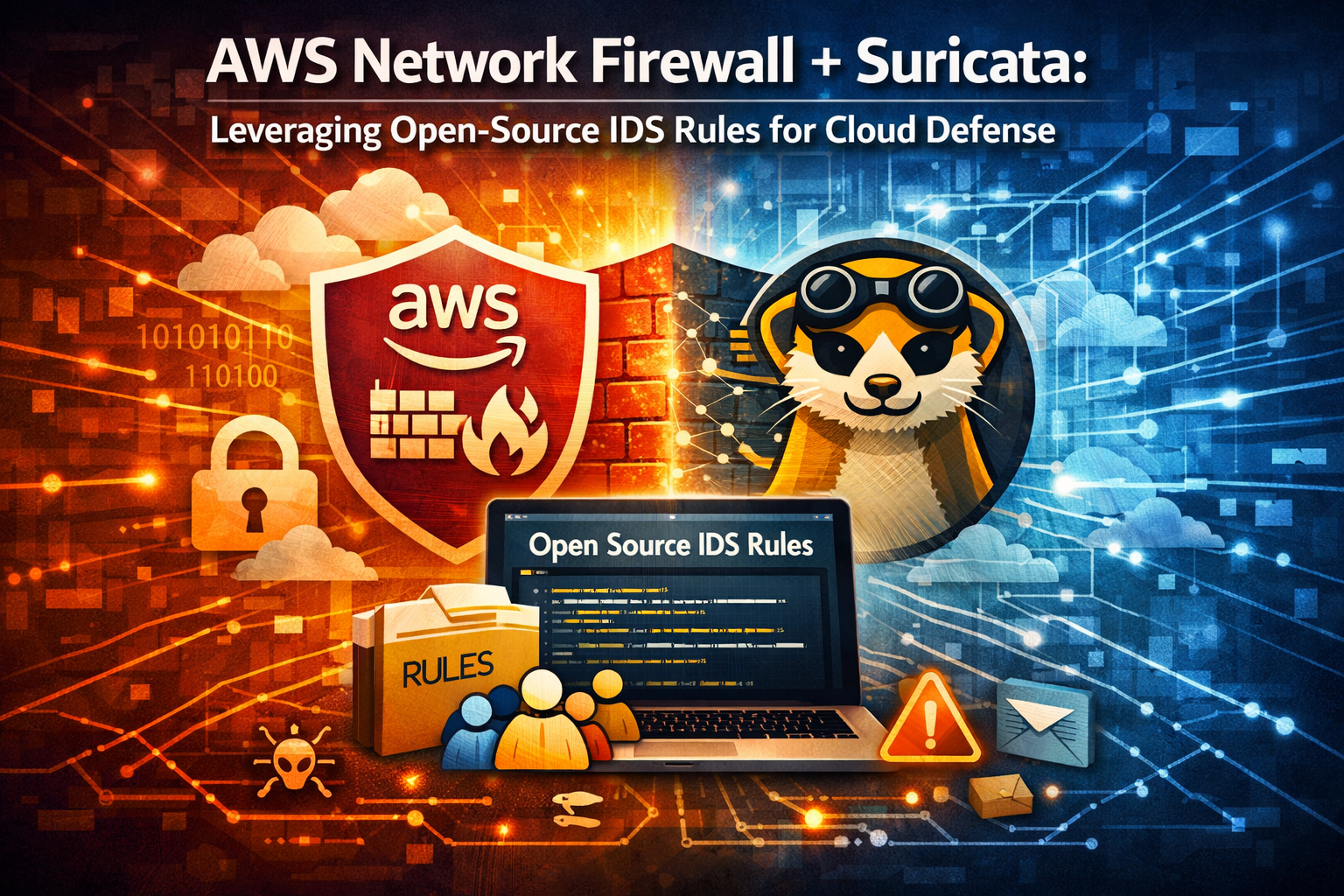 AWS Network Firewall architecture with custom Suricata rules and CloudWatch alerting
The Suricata Engine Inside
The stateful inspection engine in AWS Network Firewall is Suricata. As of November 2024, AWS upgraded from Suricata 6.0.9 to Suricata 7.0, bringing PCRE2 regex support and improved protocol detection. This is the same engine used by thousands of organizations running on-premises IDS/IPS deployments, which means:
- Full deep packet inspection (DPI) of traffic flows
- Application-layer protocol detection for HTTP, TLS, DNS, SSH, and more
- Stateful connection tracking with flow-aware rule evaluation
- Suricata-compatible rule syntax for writing custom detection logic
Key Architecture Components
Firewall Policy: The top-level container that defines rule evaluation order and default actions. Use strict order evaluation so rules execute in your defined sequence rather than Suricata’s default action-order processing.
Stateful Rule Groups: Collections of Suricata-compatible rules. You can have up to 20 rule groups (managed + custom combined) per firewall policy.
Firewall Endpoints: Gateway Load Balancer endpoints deployed in firewall subnets that route traffic through the inspection engine.
Logging Configuration: Flow logs and alert logs that ship to CloudWatch Logs, S3, or Kinesis Data Firehose.
VPC Architecture with Network Firewall Inspection
Here is a Terraform module that deploys the foundational VPC architecture with Network Firewall inline inspection:
1
2
3
4
5
6
7
8
9
10
11
12
13
14
15
16
17
18
19
20
21
22
23
24
25
26
27
28
29
30
31
32
33
34
35
36
37
38
39
40
41
42
43
44
45
46
47
48
49
50
51
52
53
54
55
56
57
58
59
60
61
62
63
64
65
66
67
68
69
70
71
72
73
74
75
# vpc.tf - VPC with Network Firewall inspection architecture
resource "aws_vpc" "protected" {
  cidr_block           = "10.0.0.0/16"
  enable_dns_support   = true
  enable_dns_hostnames = true

  tags = {
    Name        = "protected-vpc"
    Customer    = "internal"
    Application = "network-firewall-demo"
    Environment = "production"
    Owner       = "security-team"
    Costcenter  = "security"
  }
}

# Firewall subnet - dedicated to Network Firewall endpoints
resource "aws_subnet" "firewall" {
  count             = 2
  vpc_id            = aws_vpc.protected.id
  cidr_block        = cidrsubnet("10.0.0.0/16", 8, count.index)
  availability_zone = data.aws_availability_zones.available.names[count.index]

  tags = {
    Name = "firewall-subnet-${count.index}"
  }
}

# Public subnet - internet-facing resources
resource "aws_subnet" "public" {
  count                   = 2
  vpc_id                  = aws_vpc.protected.id
  cidr_block              = cidrsubnet("10.0.0.0/16", 8, count.index + 10)
  availability_zone       = data.aws_availability_zones.available.names[count.index]
  map_public_ip_on_launch = true

  tags = {
    Name = "public-subnet-${count.index}"
  }
}

# Private subnet - workloads
resource "aws_subnet" "private" {
  count             = 2
  vpc_id            = aws_vpc.protected.id
  cidr_block        = cidrsubnet("10.0.0.0/16", 8, count.index + 20)
  availability_zone = data.aws_availability_zones.available.names[count.index]

  tags = {
    Name = "private-subnet-${count.index}"
  }
}

resource "aws_internet_gateway" "main" {
  vpc_id = aws_vpc.protected.id
}

# Route table for IGW - sends return traffic through firewall
resource "aws_route_table" "igw" {
  vpc_id = aws_vpc.protected.id

  route {
    destination_cidr_block = aws_subnet.public[0].cidr_block
    vpc_endpoint_id        = tolist(aws_networkfirewall_firewall.main.firewall_status[0].sync_states[*].attachment[0].endpoint_id)[0]
  }

  tags = {
    Name = "igw-route-table"
  }
}

resource "aws_route_table_association" "igw" {
  gateway_id     = aws_internet_gateway.main.id
  route_table_id = aws_route_table.igw.id
}
Managed Rule Groups — What AWS Provides Out of the Box
AWS offers several categories of managed rule groups through Network Firewall and via AWS Marketplace partners:
AWS Managed Threat Signatures
AWS provides managed stateful rule groups that cover common threat categories:
- Malware signatures — known malware communication patterns
- Botnet command-and-control — signatures for known C2 infrastructure
- Threat intelligence feeds — AWS-curated indicators of compromise
AWS Marketplace Partner Rules
Third-party providers like CrowdStrike, Fortinet, and Palo Alto Networks offer managed rule groups through AWS Marketplace with additional coverage.
What You Get with Managed Rules
| Feature | AWS Managed Rules |
|---|---|
| Update frequency | AWS-determined schedule |
| Rule visibility | Opaque — you cannot see individual rule content |
| Customization | Limited — override actions only |
| HOME_NET variable | Cannot be overridden in managed groups |
| Coverage categories | Broad but general |
| Cost | Per-policy pricing + data processing |
Why Managed Rules Are Not Enough
Managed rule groups provide a baseline, but they leave significant gaps that matter for serious security operations:
No rule visibility: You cannot inspect the actual Suricata signatures in managed rule groups. You see category names and can override actions (alert vs. drop), but you cannot read, modify, or understand the detection logic. This is a black box.
No HOME_NET customization: Managed rule groups do not let you override Suricata’s $HOME_NET variable. If your VPC CIDR does not align with the default, directional rules may not match correctly.
Limited coverage for targeted threats: AWS managed rules cover broad categories but do not include signatures for many specific threat campaigns, emerging exploits, or industry-specific attack patterns that the open-source community tracks daily.
Update timing is opaque: You do not control when managed rules update, and AWS does not publish a changelog. The ET Open community publishes updates daily on weekdays with full transparency.
Rule capacity constraints: With a maximum of 20 combined rule groups per policy, every managed group you add reduces your capacity for custom detection logic.
No tuning for your environment: Every environment has unique traffic patterns. Custom rules let you write signatures specific to your protocols, internal services, and known-good traffic patterns to minimize false positives.
Suricata Rule Format Deep Dive
Understanding Suricata rule syntax is essential for writing effective custom detections. Every rule consists of three parts: action, header, and options.
Rule Structure
1
action protocol source_ip source_port -> destination_ip destination_port (options;)
Actions Supported by AWS Network Firewall
| Action | Behavior |
|---|---|
pass |
Allow the packet without further inspection |
drop |
Silently discard the packet |
reject |
Drop the packet and send a TCP RST or ICMP unreachable |
alert |
Allow the packet but generate an alert log entry |
Example: Detecting DNS Exfiltration
1
alert dns $HOME_NET any -> any any (msg:"ET POLICY Possible DNS Tunneling - Long TXT Query"; dns.query; content:"."; offset:40; sid:9000001; rev:1; classtype:policy-violation;)
Breaking this down:
alert— generate an alert, do not blockdns— match DNS protocol traffic$HOME_NET any -> any any— from any internal host/port to any destinationdns.query— inspect the DNS query field specificallycontent:"."; offset:40— look for a dot character 40+ bytes into the query (unusually long subdomain, common in DNS tunneling)sid:9000001— signature ID above 9,000,000 to avoid collisions with community rulesclasstype:policy-violation— categorize the alert
Key Rule Keywords for Cloud Detection
1
2
3
4
5
6
7
8
# TLS inspection - detect suspicious certificate properties
alert tls $HOME_NET any -> $EXTERNAL_NET any (msg:"Suspicious Self-Signed Certificate"; tls.cert_subject; content:"O="; nocase; content:"Let"; distance:0; tls.cert_issuer; content:"O="; nocase; content:"Let"; distance:0; sid:9000010; rev:1;)

# HTTP inspection - detect beacon behavior
alert http $HOME_NET any -> $EXTERNAL_NET any (msg:"Possible C2 Beacon - Fixed Interval HTTP POST"; flow:established,to_server; http.method; content:"POST"; http.uri; content:"/api/"; pcre:"/^\/api\/[a-f0-9]{8}$/"; threshold:type both, track by_src, count 5, seconds 60; sid:9000020; rev:1;)

# SSH anomaly - detect SSH over non-standard ports
alert ssh any any -> $EXTERNAL_NET !22 (msg:"SSH Traffic on Non-Standard Port"; flow:established; sid:9000030; rev:1; classtype:policy-violation;)
AWS Network Firewall Limitations
Not all Suricata features work in Network Firewall. These are not supported:
- Datasets (
datasetanddatarepkeywords) - ENIP/CIP protocol keywords
- File extraction
- FTP-data protocol detection
- IP reputation (
iprepkeyword) - Lua scripting
- PCRE1 format (must use PCRE2 as of Suricata 7.0)
Always test your rules against these constraints before deploying.
Emerging Threats (ET Open) — The Community Rule Ecosystem
The Emerging Threats Open (ET Open) ruleset is the gold standard for community-maintained Suricata detection signatures. Maintained by Proofpoint’s Emerging Threats team, ET Open provides:
- Tens of thousands of signatures covering malware, exploits, policy violations, and protocol anomalies
- Daily updates on weekdays, with out-of-band updates for critical threats
- Categorized rule files organized by threat type (malware, exploit, policy, info, etc.)
- Free and open source under a permissive license
- Suricata 7.0 compatible rulesets available
ET Open Rule Categories
| Category | Description | Example |
|---|---|---|
emerging-malware.rules |
Known malware signatures and C2 patterns | CobaltStrike, Emotet, Qbot beacons |
emerging-exploit.rules |
Exploit attempt detection | Log4Shell, ProxyLogon, CVE-specific |
emerging-trojan.rules |
Trojan communication patterns | RAT callbacks, dropper activity |
emerging-policy.rules |
Policy violation detection | Tor usage, cryptocurrency mining |
emerging-dns.rules |
DNS-based threats | DGA domains, DNS tunneling |
emerging-hunting.rules |
Threat hunting signatures | Suspicious patterns for investigation |
emerging-info.rules |
Informational signatures | Software identification, protocol anomalies |
Downloading ET Open Rules
1
2
3
4
5
6
7
8
9
10
# Download the latest ET Open ruleset for Suricata 7.0
curl -LO https://rules.emergingthreats.net/open/suricata-7.0/emerging.rules.tar.gz

# Extract and inspect
tar xzf emerging.rules.tar.gz
ls rules/

# Count total rules
grep -c "^alert\|^drop\|^pass\|^reject" rules/*.rules
# Typical output: 30,000+ signatures
Importing Custom Suricata Rules into Network Firewall
Terraform Configuration for Custom Rule Groups
1
2
3
4
5
6
7
8
9
10
11
12
13
14
15
16
17
18
19
20
21
22
23
24
25
26
27
28
29
30
31
32
33
34
35
36
37
38
39
40
41
42
43
44
45
46
47
48
49
50
51
52
53
54
55
56
57
58
59
60
61
62
63
64
65
66
67
68
69
70
71
72
73
74
75
76
77
78
79
80
81
82
83
84
85
86
87
88
89
90
91
92
93
94
95
96
97
98
99
100
101
102
103
104
105
106
107
108
109
110
111
112
113
114
115
116
117
118
119
120
121
122
# network_firewall.tf - Network Firewall with custom Suricata rules

resource "aws_networkfirewall_firewall" "main" {
  name                = "suricata-nfw"
  firewall_policy_arn = aws_networkfirewall_firewall_policy.main.arn
  vpc_id              = aws_vpc.protected.id

  dynamic "subnet_mapping" {
    for_each = aws_subnet.firewall[*].id
    content {
      subnet_id = subnet_mapping.value
    }
  }

  tags = {
    Name        = "suricata-nfw"
    Customer    = "internal"
    Application = "network-security"
    Environment = "production"
    Owner       = "security-team"
    Costcenter  = "security"
  }
}

resource "aws_networkfirewall_firewall_policy" "main" {
  name = "suricata-policy"

  firewall_policy {
    stateless_default_actions          = ["aws:forward_to_sfe"]
    stateless_fragment_default_actions = ["aws:forward_to_sfe"]

    stateful_engine_options {
      rule_order = "STRICT_ORDER"
    }

    # Custom ET Open rules - highest priority
    stateful_rule_group_reference {
      priority     = 1
      resource_arn = aws_networkfirewall_rule_group.et_malware.arn
    }

    stateful_rule_group_reference {
      priority     = 2
      resource_arn = aws_networkfirewall_rule_group.et_trojan.arn
    }

    stateful_rule_group_reference {
      priority     = 3
      resource_arn = aws_networkfirewall_rule_group.et_exploit.arn
    }

    stateful_rule_group_reference {
      priority     = 4
      resource_arn = aws_networkfirewall_rule_group.custom_cloud_rules.arn
    }

    # AWS managed rules as supplementary coverage
    stateful_rule_group_reference {
      priority     = 10
      resource_arn = "arn:aws:network-firewall:us-east-1:aws-managed:stateful-rulegroup/ThreatSignaturesMalware"
    }
  }
}

# Custom rule group: ET Open Malware signatures
resource "aws_networkfirewall_rule_group" "et_malware" {
  capacity = 5000
  name     = "et-open-malware"
  type     = "STATEFUL"

  rule_group {
    rule_variables {
      ip_sets {
        key = "HOME_NET"
        ip_set {
          definition = ["10.0.0.0/16"]
        }
      }
      ip_sets {
        key = "EXTERNAL_NET"
        ip_set {
          definition = ["0.0.0.0/0"]
        }
      }
    }

    rules_source {
      rules_string = file("${path.module}/rules/emerging-malware-filtered.rules")
    }

    stateful_rule_options {
      capacity = 5000
    }
  }

  tags = {
    Name   = "et-open-malware"
    Source = "emerging-threats-open"
  }
}

# Custom rule group: Cloud-specific threat detections
resource "aws_networkfirewall_rule_group" "custom_cloud_rules" {
  capacity = 1000
  name     = "custom-cloud-threats"
  type     = "STATEFUL"

  rule_group {
    rule_variables {
      ip_sets {
        key = "HOME_NET"
        ip_set {
          definition = ["10.0.0.0/16"]
        }
      }
    }

    rules_source {
      rules_string = file("${path.module}/rules/custom-cloud-threats.rules")
    }
  }
}
Custom Cloud Threat Detection Rules
Save these as rules/custom-cloud-threats.rules:
1
2
3
4
5
6
7
8
9
10
11
12
13
14
15
16
17
18
19
20
21
22
23
24
25
26
27
28
29
30
31
32
33
34
35
36
37
38
39
40
41
# =====================================================
# Custom Cloud Threat Detection Rules for AWS
# SID Range: 9000001 - 9000999
# =====================================================

# --- C2 Communication Detection ---
# Detect Cobalt Strike default HTTP beacon pattern
alert http $HOME_NET any -> $EXTERNAL_NET any (msg:"CLOUD C2 - Possible Cobalt Strike HTTP Beacon"; flow:established,to_server; http.method; content:"GET"; http.uri; pcre:"/^\/[a-zA-Z]{4}$/"; http.header; content:"Cookie:"; pcre:"/SESSIONID=[a-f0-9]{32}/"; threshold:type both, track by_src, count 3, seconds 300; sid:9000001; rev:2; classtype:trojan-activity;)

# Detect DNS-over-HTTPS to known DoH providers (potential C2 evasion)
alert tls $HOME_NET any -> $EXTERNAL_NET 443 (msg:"CLOUD POLICY - DNS-over-HTTPS to Public Resolver"; tls.sni; content:"dns.google"; sid:9000002; rev:1; classtype:policy-violation;)

alert tls $HOME_NET any -> $EXTERNAL_NET 443 (msg:"CLOUD POLICY - DNS-over-HTTPS to Cloudflare"; tls.sni; content:"cloudflare-dns.com"; sid:9000003; rev:1; classtype:policy-violation;)

# --- Data Exfiltration Detection ---
# Large DNS TXT responses (possible DNS exfiltration)
alert dns any any -> $HOME_NET any (msg:"CLOUD EXFIL - Large DNS TXT Response"; dns.opcode:0; content:"|00 10|"; offset:40; dsize:>512; threshold:type both, track by_dst, count 10, seconds 60; sid:9000010; rev:1; classtype:bad-unknown;)

# HTTP POST with large body to uncommon TLD
alert http $HOME_NET any -> $EXTERNAL_NET any (msg:"CLOUD EXFIL - Large HTTP POST to Uncommon TLD"; flow:established,to_server; http.method; content:"POST"; http.host; pcre:"/\.(xyz|top|club|work|buzz|tk|ml|ga|cf)\//i"; http.content_len; content:"1"; byte_test:6,>,100000,0,string; sid:9000011; rev:1; classtype:bad-unknown;)

# --- Cryptomining Detection ---
# Stratum mining protocol
alert tcp $HOME_NET any -> $EXTERNAL_NET any (msg:"CLOUD CRYPTO - Stratum Mining Protocol"; flow:established,to_server; content:"{"; content:"\"method\""; distance:0; content:"\"mining."; distance:0; sid:9000020; rev:1; classtype:policy-violation;)

# Known mining pool domains via TLS SNI
alert tls $HOME_NET any -> $EXTERNAL_NET 443 (msg:"CLOUD CRYPTO - Connection to Mining Pool"; tls.sni; pcre:"/(pool\.|mine\.|mining\.|xmr\.|monero|nicehash|nanopool|ethermine|f2pool)/i"; sid:9000021; rev:1; classtype:policy-violation;)

# --- Lateral Movement Detection ---
# SMB traffic between unexpected subnets
alert tcp $HOME_NET any -> $HOME_NET 445 (msg:"CLOUD LATERAL - SMB Traffic Between Subnets"; flow:established,to_server; threshold:type both, track by_src, count 5, seconds 10; sid:9000030; rev:1; classtype:bad-unknown;)

# RDP brute force detection
alert tcp $EXTERNAL_NET any -> $HOME_NET 3389 (msg:"CLOUD LATERAL - Possible RDP Brute Force"; flow:established,to_server; threshold:type both, track by_src, count 10, seconds 60; sid:9000031; rev:1; classtype:attempted-admin;)

# --- IMDS Abuse Detection ---
# Detect attempts to reach EC2 metadata service from unexpected sources
alert http any any -> 169.254.169.254 any (msg:"CLOUD SSRF - EC2 Instance Metadata Access Attempt"; flow:established,to_server; http.uri; content:"/latest/meta-data"; sid:9000040; rev:1; classtype:web-application-attack;)

# IMDSv1 token theft attempt
alert http any any -> 169.254.169.254 any (msg:"CLOUD SSRF - IMDSv1 Credential Access"; flow:established,to_server; http.uri; content:"/latest/meta-data/iam/security-credentials"; sid:9000041; rev:1; classtype:web-application-attack;)
AWS CLI for Rule Group Management
1
2
3
4
5
6
7
8
9
10
11
12
13
14
15
16
17
18
19
20
21
22
23
24
25
26
27
28
29
# Create a rule group from a local rules file
aws network-firewall create-rule-group \
  --rule-group-name "et-open-malware" \
  --type STATEFUL \
  --capacity 5000 \
  --rules "$(cat rules/emerging-malware-filtered.rules)" \
  --tags Key=Source,Value=emerging-threats-open \
  --region us-east-1

# Update an existing rule group with new rules
aws network-firewall update-rule-group \
  --rule-group-name "et-open-malware" \
  --type STATEFUL \
  --rules "$(cat rules/emerging-malware-filtered.rules)" \
  --update-token "$(aws network-firewall describe-rule-group \
    --rule-group-name et-open-malware \
    --type STATEFUL \
    --query 'UpdateToken' --output text)" \
  --region us-east-1

# List all rule groups
aws network-firewall list-rule-groups --type STATEFUL --region us-east-1

# Describe a specific rule group to check capacity usage
aws network-firewall describe-rule-group \
  --rule-group-name "et-open-malware" \
  --type STATEFUL \
  --query '{Name: RuleGroupResponse.RuleGroupName, Capacity: RuleGroupResponse.Capacity, NumberOfAssociations: RuleGroupResponse.NumberOfAssociations}' \
  --region us-east-1
Rule Management Automation — Lambda for ET Open Updates
Manual rule updates do not scale. Here is a Lambda function that automatically downloads the latest ET Open rules, filters them for AWS Network Firewall compatibility, and updates your rule groups daily.
Lambda Function: Automated ET Open Rule Updater
1
2
3
4
5
6
7
8
9
10
11
12
13
14
15
16
17
18
19
20
21
22
23
24
25
26
27
28
29
30
31
32
33
34
35
36
37
38
39
40
41
42
43
44
45
46
47
48
49
50
51
52
53
54
55
56
57
58
59
60
61
62
63
64
65
66
67
68
69
70
71
72
73
74
75
76
77
78
79
80
81
82
83
84
85
86
87
88
89
90
91
92
93
94
95
96
97
98
99
100
101
102
103
104
105
106
107
108
109
110
111
112
113
114
115
116
117
118
119
120
121
122
123
124
125
126
127
128
129
130
131
132
133
134
135
136
137
138
139
140
141
142
143
144
145
146
147
148
149
150
151
152
153
154
155
156
157
158
"""
ET Open Rule Updater for AWS Network Firewall
Automatically downloads, filters, and deploys Suricata rules from Emerging Threats.
"""
import boto3
import io
import json
import logging
import os
import re
import tarfile
import urllib.request

logger = logging.getLogger()
logger.setLevel(logging.INFO)

NFW_CLIENT = boto3.client("network-firewall")

# Configuration from environment variables
SURICATA_VERSION = os.environ.get("SURICATA_VERSION", "7.0")
RULE_GROUP_MAPPING = json.loads(os.environ.get("RULE_GROUP_MAPPING", "{}"))
HOME_NET_CIDR = os.environ.get("HOME_NET_CIDR", "10.0.0.0/16")
MAX_RULES_PER_GROUP = int(os.environ.get("MAX_RULES_PER_GROUP", "5000"))

# Keywords not supported by AWS Network Firewall
UNSUPPORTED_KEYWORDS = [
    "dataset:", "datarep:", "iprep", "lua:",
    "filestore", "fileext:", "filemagic:",
    "ftpdata_command:", "enip_command:",
]


def download_et_open() -> dict[str, str]:
    """Download and extract ET Open ruleset."""
    url = f"https://rules.emergingthreats.net/open/suricata-{SURICATA_VERSION}/emerging.rules.tar.gz"
    logger.info(f"Downloading ET Open from {url}")

    response = urllib.request.urlopen(url, timeout=30)
    tar_bytes = io.BytesIO(response.read())

    rules_by_file = {}
    with tarfile.open(fileobj=tar_bytes, mode="r:gz") as tar:
        for member in tar.getmembers():
            if member.name.endswith(".rules"):
                f = tar.extractfile(member)
                if f:
                    filename = os.path.basename(member.name)
                    rules_by_file[filename] = f.read().decode("utf-8")

    logger.info(f"Extracted {len(rules_by_file)} rule files")
    return rules_by_file


def filter_rules(rules_content: str) -> str:
    """Remove rules with unsupported keywords and comments."""
    filtered_lines = []
    total = 0
    removed = 0

    for line in rules_content.splitlines():
        stripped = line.strip()

        # Keep comments and empty lines
        if not stripped or stripped.startswith("#"):
            continue

        # Skip rules with unsupported keywords
        if any(kw in stripped for kw in UNSUPPORTED_KEYWORDS):
            removed += 1
            continue

        total += 1
        filtered_lines.append(stripped)

    logger.info(f"Filtered rules: {total} kept, {removed} removed (unsupported keywords)")
    return "\n".join(filtered_lines[:MAX_RULES_PER_GROUP])


def set_home_net(rules_content: str, cidr: str) -> str:
    """Replace $HOME_NET references with the actual CIDR if needed."""
    # Network Firewall handles HOME_NET via rule_variables, so we
    # leave $HOME_NET in the rules and set it in the rule group config.
    return rules_content


def update_rule_group(rule_group_name: str, rules_string: str) -> None:
    """Update an AWS Network Firewall rule group with new rules."""
    try:
        # Get current update token
        response = NFW_CLIENT.describe_rule_group(
            RuleGroupName=rule_group_name,
            Type="STATEFUL",
        )
        update_token = response["UpdateToken"]
        current_arn = response["RuleGroupResponse"]["RuleGroupArn"]

        # Build rule group configuration with HOME_NET
        rule_group = {
            "RuleVariables": {
                "IPSets": {
                    "HOME_NET": {
                        "Definition": [HOME_NET_CIDR],
                    },
                    "EXTERNAL_NET": {
                        "Definition": ["0.0.0.0/0"],
                    },
                },
            },
            "RulesSource": {
                "RulesString": rules_string,
            },
        }

        NFW_CLIENT.update_rule_group(
            UpdateToken=update_token,
            RuleGroupArn=current_arn,
            RuleGroup=rule_group,
            Type="STATEFUL",
        )
        logger.info(f"Successfully updated rule group: {rule_group_name}")

    except NFW_CLIENT.exceptions.ResourceNotFoundException:
        logger.error(f"Rule group not found: {rule_group_name}")
        raise
    except Exception as e:
        logger.error(f"Failed to update {rule_group_name}: {e}")
        raise


def handler(event, context):
    """Lambda handler - download ET Open rules and update Network Firewall."""
    logger.info("Starting ET Open rule update")

    # Download latest rules
    rules_by_file = download_et_open()

    # Update each mapped rule group
    # RULE_GROUP_MAPPING format: {"et-open-malware": ["emerging-malware.rules", "emerging-trojan.rules"]}
    results = {}
    for group_name, rule_files in RULE_GROUP_MAPPING.items():
        combined_rules = []
        for rule_file in rule_files:
            if rule_file in rules_by_file:
                filtered = filter_rules(rules_by_file[rule_file])
                combined_rules.append(filtered)
                logger.info(f"Added {rule_file} to {group_name}")
            else:
                logger.warning(f"Rule file not found in ET Open: {rule_file}")

        if combined_rules:
            rules_string = "\n".join(combined_rules)
            update_rule_group(group_name, rules_string)
            results[group_name] = "updated"
        else:
            results[group_name] = "no rules found"

    logger.info(f"Update complete: {json.dumps(results)}")
    return {"statusCode": 200, "body": results}
Terraform for the Lambda Deployment
1
2
3
4
5
6
7
8
9
10
11
12
13
14
15
16
17
18
19
20
21
22
23
24
25
26
27
28
29
30
31
32
33
34
35
36
37
38
39
40
41
42
43
44
45
46
47
48
49
50
51
52
53
54
55
56
57
58
59
60
61
62
63
64
65
66
67
68
69
70
71
72
73
74
75
76
77
78
79
80
81
82
83
84
85
86
87
88
89
90
91
92
93
94
95
96
97
98
99
100
# lambda_rule_updater.tf

resource "aws_lambda_function" "et_rule_updater" {
  function_name = "et-open-rule-updater"
  runtime       = "python3.12"
  handler       = "et_rule_updater.handler"
  timeout       = 120
  memory_size   = 512

  filename         = data.archive_file.et_updater.output_path
  source_code_hash = data.archive_file.et_updater.output_base64sha256

  role = aws_iam_role.et_updater_role.arn

  environment {
    variables = {
      SURICATA_VERSION   = "7.0"
      HOME_NET_CIDR      = "10.0.0.0/16"
      MAX_RULES_PER_GROUP = "5000"
      RULE_GROUP_MAPPING = jsonencode({
        "et-open-malware" = ["emerging-malware.rules", "emerging-trojan.rules"]
        "et-open-exploit" = ["emerging-exploit.rules", "emerging-web_server.rules"]
        "et-open-policy"  = ["emerging-policy.rules", "emerging-dns.rules"]
      })
    }
  }

  tags = {
    Name        = "et-open-rule-updater"
    Customer    = "internal"
    Application = "network-security"
    Environment = "production"
    Owner       = "security-team"
    Costcenter  = "security"
  }
}

# Schedule daily updates at 6 AM UTC
resource "aws_cloudwatch_event_rule" "daily_rule_update" {
  name                = "et-open-daily-update"
  schedule_expression = "cron(0 6 ? * MON-FRI *)"
}

resource "aws_cloudwatch_event_target" "lambda_target" {
  rule      = aws_cloudwatch_event_rule.daily_rule_update.name
  target_id = "ETRuleUpdater"
  arn       = aws_lambda_function.et_rule_updater.arn
}

resource "aws_lambda_permission" "allow_eventbridge" {
  statement_id  = "AllowEventBridge"
  action        = "lambda:InvokeFunction"
  function_name = aws_lambda_function.et_rule_updater.function_name
  principal     = "events.amazonaws.com"
  source_arn    = aws_cloudwatch_event_rule.daily_rule_update.arn
}

# IAM role for the Lambda function
resource "aws_iam_role" "et_updater_role" {
  name = "et-rule-updater-role"

  assume_role_policy = jsonencode({
    Version = "2012-10-17"
    Statement = [{
      Action = "sts:AssumeRole"
      Effect = "Allow"
      Principal = {
        Service = "lambda.amazonaws.com"
      }
    }]
  })
}

resource "aws_iam_role_policy" "et_updater_policy" {
  name = "et-rule-updater-policy"
  role = aws_iam_role.et_updater_role.id

  policy = jsonencode({
    Version = "2012-10-17"
    Statement = [
      {
        Effect = "Allow"
        Action = [
          "network-firewall:DescribeRuleGroup",
          "network-firewall:UpdateRuleGroup",
        ]
        Resource = "arn:aws:network-firewall:*:*:stateful-rulegroup/*"
      },
      {
        Effect = "Allow"
        Action = [
          "logs:CreateLogGroup",
          "logs:CreateLogStream",
          "logs:PutLogEvents",
        ]
        Resource = "arn:aws:logs:*:*:*"
      },
    ]
  })
}
VPC Flow Logs Integration for Network Visibility
VPC Flow Logs complement Network Firewall by providing connection-level metadata for traffic that the firewall inspects. Together, they give you both deep packet inspection (Network Firewall) and flow-level visibility (Flow Logs).
Enable VPC Flow Logs to CloudWatch
1
2
3
4
5
6
7
8
9
10
11
12
13
14
15
16
17
18
19
20
21
22
23
24
25
26
27
28
29
30
31
32
33
34
35
36
37
38
39
40
41
42
43
44
45
46
47
48
49
50
51
# flow_logs.tf
resource "aws_flow_log" "vpc_flow_log" {
  vpc_id               = aws_vpc.protected.id
  traffic_type         = "ALL"
  log_destination_type = "cloud-watch-logs"
  log_destination      = aws_cloudwatch_log_group.flow_logs.arn
  iam_role_arn         = aws_iam_role.flow_log_role.arn
  max_aggregation_interval = 60

  tags = {
    Name = "vpc-flow-logs"
  }
}

resource "aws_cloudwatch_log_group" "flow_logs" {
  name              = "/aws/vpc/flow-logs/protected-vpc"
  retention_in_days = 30
}

# Network Firewall alert logging
resource "aws_networkfirewall_logging_configuration" "main" {
  firewall_arn = aws_networkfirewall_firewall.main.arn

  logging_configuration {
    log_destination_config {
      log_destination = {
        logGroup = aws_cloudwatch_log_group.nfw_alerts.name
      }
      log_destination_type = "CloudWatchLogs"
      log_type             = "ALERT"
    }

    log_destination_config {
      log_destination = {
        logGroup = aws_cloudwatch_log_group.nfw_flow.name
      }
      log_destination_type = "CloudWatchLogs"
      log_type             = "FLOW"
    }
  }
}

resource "aws_cloudwatch_log_group" "nfw_alerts" {
  name              = "/aws/network-firewall/alerts"
  retention_in_days = 90
}

resource "aws_cloudwatch_log_group" "nfw_flow" {
  name              = "/aws/network-firewall/flow"
  retention_in_days = 30
}
Comparison: Managed Rules vs Custom Suricata Rules
| Dimension | AWS Managed Rules | Custom Suricata (ET Open) |
|---|---|---|
| Rule visibility | Opaque — category-level only | Full transparency — read every signature |
| Update frequency | AWS-determined, unpublished schedule | Daily on weekdays, out-of-band for critical threats |
| HOME_NET control | Cannot override | Full control via rule_variables |
| Customization | Override actions only | Write, modify, tune any rule |
| Coverage breadth | Broad categories | 30,000+ specific signatures |
| Cloud-specific rules | Limited | Write your own for IMDS, cloud APIs, etc. |
| False positive tuning | Limited options | Full suppression, threshold, and flow control |
| Cost | Included in NFW pricing | Free (ET Open) + Lambda compute for updates |
| Compliance evidence | Vendor-provided attestation | Full audit trail of every rule deployed |
| Community support | AWS support channels | OISF community, Suricata forums, ET mailing lists |
Recommendation: Use both. AWS managed rules provide a baseline with zero effort. Layer custom ET Open rules on top for depth, transparency, and threat-specific detection that managed rules miss.
Detection Scenarios
Scenario 1: Command-and-Control Communication
Modern C2 frameworks like Cobalt Strike, Sliver, and Mythic use HTTPS with domain fronting, malleable C2 profiles, and encrypted channels. ET Open tracks hundreds of C2 framework signatures:
1
2
3
4
5
6
7
8
9
# ET Open rules detect known C2 patterns
# emerging-malware.rules contains signatures for:
# - Cobalt Strike beacon HTTP/HTTPS patterns
# - Sliver implant communication
# - Metasploit Meterpreter sessions
# - Brute Ratel C4 callbacks

# Custom rule: detect potential domain fronting
alert tls $HOME_NET any -> $EXTERNAL_NET 443 (msg:"CLOUD C2 - Possible Domain Fronting (SNI/Host Mismatch Indicator)"; flow:established,to_server; tls.sni; content:".cloudfront.net"; sid:9000050; rev:1; classtype:trojan-activity;)
Scenario 2: Data Exfiltration
1
2
3
4
5
# Detect large outbound transfers to cloud storage providers
alert tls $HOME_NET any -> $EXTERNAL_NET 443 (msg:"CLOUD EXFIL - Large Transfer to External Cloud Storage"; tls.sni; pcre:"/(dropbox\.com|drive\.google\.com|onedrive\.live\.com|mega\.nz|transfer\.sh)/i"; flow:established,to_server; threshold:type both, track by_src, count 20, seconds 300; sid:9000060; rev:1; classtype:policy-violation;)

# Detect base64-encoded data in DNS queries (DNS exfiltration)
alert dns $HOME_NET any -> any any (msg:"CLOUD EXFIL - Possible Base64 in DNS Query"; dns.query; pcre:"/^[a-zA-Z0-9+\/]{30,}\./"; threshold:type both, track by_src, count 5, seconds 60; sid:9000061; rev:1; classtype:bad-unknown;)
Scenario 3: Lateral Movement
1
2
3
4
5
# Detect port scanning behavior within VPC
alert tcp $HOME_NET any -> $HOME_NET any (msg:"CLOUD LATERAL - Internal Port Scan Detected"; flags:S,12; threshold:type both, track by_src, count 25, seconds 10; sid:9000070; rev:1; classtype:attempted-recon;)

# Detect WinRM/PSRemoting lateral movement
alert tcp $HOME_NET any -> $HOME_NET 5985 (msg:"CLOUD LATERAL - WinRM HTTP Connection"; flow:established,to_server; content:"POST"; content:"wsman"; distance:0; within:50; sid:9000071; rev:1; classtype:bad-unknown;)
Scenario 4: Cryptomining
1
2
3
4
5
6
# Stratum protocol variants
alert tcp $HOME_NET any -> any any (msg:"CLOUD CRYPTO - XMRig Mining Communication"; flow:established,to_server; content:"mining.submit"; sid:9000080; rev:1; classtype:policy-violation;)

# Detect connections to known mining pool IPs via ET Open
# emerging-policy.rules contains extensive mining pool coverage
# These rules are automatically imported by the Lambda updater
Performance Considerations and Rule Optimization
AWS Network Firewall supports up to 30,000 rules per policy, but loading every ET Open rule blindly wastes capacity and increases inspection latency. Optimize your deployment with these practices:
1. Filter Rules by Relevance
Not every ET Open category applies to your environment. If you run no Windows workloads, skip emerging-activex.rules and Windows-specific exploit rules. If you have no FTP services, skip FTP rules.
1
2
3
4
5
6
7
8
9
10
11
12
13
14
15
16
17
18
# Rule filtering by environment profile
LINUX_CLOUD_PROFILE = [
    "emerging-malware.rules",
    "emerging-trojan.rules",
    "emerging-exploit.rules",
    "emerging-dns.rules",
    "emerging-policy.rules",
    "emerging-hunting.rules",
    "emerging-web_server.rules",
    "emerging-web_client.rules",
]

# Skip these for Linux-only cloud workloads
SKIP_FOR_LINUX = [
    "emerging-activex.rules",
    "emerging-netbios.rules",
    "emerging-shellcode.rules",  # x86-specific shellcode
]
2. Use Rule Priorities and Fast Pattern Matching
Place high-confidence, low-false-positive rules first in strict evaluation order. Suricata uses the fast_pattern keyword to optimize multi-pattern matching:
1
2
# Use fast_pattern on the most unique content match
alert http $HOME_NET any -> $EXTERNAL_NET any (msg:"Malware Callback"; flow:established,to_server; http.uri; content:"/gate.php"; fast_pattern; content:"bot_id="; sid:9000090; rev:1;)
3. Capacity Planning
| Rule Group | Recommended Capacity | Use Case |
|---|---|---|
| ET Malware + Trojan | 5,000 | Known malware signatures |
| ET Exploit | 3,000 | Vulnerability exploit detection |
| ET Policy + DNS | 2,000 | Policy violations and DNS threats |
| Custom Cloud Rules | 1,000 | Environment-specific detections |
| Total | 11,000 | Well within the 30,000 limit |
4. Rule Testing and Validation
Before deploying rules to production, validate them with this script:
1
2
3
4
5
6
7
8
9
10
11
12
13
14
15
16
17
18
19
20
21
22
23
24
25
26
27
28
29
30
31
32
33
34
35
36
37
38
39
40
41
42
43
44
45
46
47
48
49
50
51
52
53
54
55
56
57
58
59
60
61
62
63
64
65
66
67
68
69
70
71
72
73
74
75
76
77
78
79
80
81
82
83
84
85
86
87
"""
Validate Suricata rules for AWS Network Firewall compatibility.
Checks for unsupported keywords and syntax issues.
"""
import re
import sys

UNSUPPORTED_KEYWORDS = [
    "dataset:", "datarep:", "iprep", "lua:",
    "filestore", "fileext:", "filemagic:",
    "ftpdata_command:", "enip_command:",
]

VALID_ACTIONS = {"alert", "pass", "drop", "reject"}

SID_PATTERN = re.compile(r"sid:\s*(\d+)")


def validate_rule(line: str, line_num: int) -> list[str]:
    """Validate a single Suricata rule line."""
    errors = []

    # Check action
    action = line.split()[0] if line.split() else ""
    if action not in VALID_ACTIONS:
        errors.append(f"Line {line_num}: Invalid action '{action}'")

    # Check for unsupported keywords
    for kw in UNSUPPORTED_KEYWORDS:
        if kw in line:
            errors.append(f"Line {line_num}: Unsupported keyword '{kw}'")

    # Check for SID
    if not SID_PATTERN.search(line):
        errors.append(f"Line {line_num}: Missing sid")

    # Check for balanced parentheses
    if line.count("(") != line.count(")"):
        errors.append(f"Line {line_num}: Unbalanced parentheses")

    return errors


def validate_file(filepath: str) -> tuple[int, int, list[str]]:
    """Validate all rules in a file."""
    all_errors = []
    total_rules = 0
    sids_seen = set()

    with open(filepath) as f:
        for line_num, line in enumerate(f, 1):
            stripped = line.strip()
            if not stripped or stripped.startswith("#"):
                continue

            total_rules += 1
            errors = validate_rule(stripped, line_num)
            all_errors.extend(errors)

            # Check for duplicate SIDs
            sid_match = SID_PATTERN.search(stripped)
            if sid_match:
                sid = sid_match.group(1)
                if sid in sids_seen:
                    all_errors.append(f"Line {line_num}: Duplicate SID {sid}")
                sids_seen.add(sid)

    return total_rules, len(all_errors), all_errors


if __name__ == "__main__":
    if len(sys.argv) < 2:
        print("Usage: python validate_rules.py <rules_file>")
        sys.exit(1)

    filepath = sys.argv[1]
    total, error_count, errors = validate_file(filepath)

    print(f"Validated {total} rules from {filepath}")
    if errors:
        print(f"Found {error_count} errors:")
        for err in errors:
            print(f"  - {err}")
        sys.exit(1)
    else:
        print("All rules passed validation.")
        sys.exit(0)
Monitoring and Alerting on Network Firewall Findings
Network Firewall alert logs contain Suricata’s alert output including the rule message, SID, classification, and flow metadata. Set up CloudWatch alarms to surface high-priority detections.
CloudWatch Metric Filter and Alarm
1
2
3
4
5
6
7
8
9
10
11
12
13
14
15
16
17
18
19
20
21
22
23
24
25
26
27
28
29
30
31
32
33
34
35
36
37
38
39
40
41
42
43
44
45
46
47
48
49
50
51
52
53
54
55
56
57
58
59
60
61
62
63
64
65
66
67
68
69
70
71
72
73
74
75
76
77
78
79
80
81
82
83
84
85
86
87
88
89
90
91
92
# monitoring.tf - CloudWatch alerting for Network Firewall

# Metric filter for high-severity alerts
resource "aws_cloudwatch_log_metric_filter" "nfw_high_severity" {
  name           = "nfw-high-severity-alerts"
  pattern        = "{ $.event.alert.severity <= 2 }"
  log_group_name = aws_cloudwatch_log_group.nfw_alerts.name

  metric_transformation {
    name          = "HighSeverityAlerts"
    namespace     = "NetworkFirewall"
    value         = "1"
    default_value = "0"
  }
}

# Alarm for high-severity alerts
resource "aws_cloudwatch_metric_alarm" "nfw_critical" {
  alarm_name          = "network-firewall-critical-alert"
  comparison_operator = "GreaterThanThreshold"
  evaluation_periods  = 1
  metric_name         = "HighSeverityAlerts"
  namespace           = "NetworkFirewall"
  period              = 300
  statistic           = "Sum"
  threshold           = 0
  alarm_description   = "Network Firewall detected high-severity threat"

  alarm_actions = [
    "arn:aws:sns:us-east-1:181303648587:alert-critical"
  ]
}

# Metric filter for cryptomining detection
resource "aws_cloudwatch_log_metric_filter" "nfw_cryptomining" {
  name           = "nfw-cryptomining-alerts"
  pattern        = "{ $.event.alert.signature_id >= 9000020 && $.event.alert.signature_id <= 9000029 }"
  log_group_name = aws_cloudwatch_log_group.nfw_alerts.name

  metric_transformation {
    name          = "CryptominingAlerts"
    namespace     = "NetworkFirewall"
    value         = "1"
    default_value = "0"
  }
}

resource "aws_cloudwatch_metric_alarm" "nfw_cryptomining" {
  alarm_name          = "network-firewall-cryptomining-detected"
  comparison_operator = "GreaterThanThreshold"
  evaluation_periods  = 1
  metric_name         = "CryptominingAlerts"
  namespace           = "NetworkFirewall"
  period              = 300
  statistic           = "Sum"
  threshold           = 0
  alarm_description   = "Network Firewall detected cryptomining activity"

  alarm_actions = [
    "arn:aws:sns:us-east-1:181303648587:alert-critical"
  ]
}

# Metric filter for data exfiltration patterns
resource "aws_cloudwatch_log_metric_filter" "nfw_exfiltration" {
  name           = "nfw-exfiltration-alerts"
  pattern        = "{ $.event.alert.signature_id >= 9000010 && $.event.alert.signature_id <= 9000019 }"
  log_group_name = aws_cloudwatch_log_group.nfw_alerts.name

  metric_transformation {
    name          = "ExfiltrationAlerts"
    namespace     = "NetworkFirewall"
    value         = "1"
    default_value = "0"
  }
}

resource "aws_cloudwatch_metric_alarm" "nfw_exfiltration" {
  alarm_name          = "network-firewall-exfiltration-detected"
  comparison_operator = "GreaterThanThreshold"
  evaluation_periods  = 1
  metric_name         = "ExfiltrationAlerts"
  namespace           = "NetworkFirewall"
  period              = 300
  statistic           = "Sum"
  threshold           = 0
  alarm_description   = "Network Firewall detected possible data exfiltration"

  alarm_actions = [
    "arn:aws:sns:us-east-1:181303648587:alert-critical"
  ]
}
Querying Network Firewall Alerts
1
2
3
4
5
6
7
8
9
10
11
12
13
14
# Query recent high-severity alerts from CloudWatch Logs
aws logs filter-log-events \
  --log-group-name "/aws/network-firewall/alerts" \
  --start-time $(date -d '1 hour ago' +%s000) \
  --filter-pattern '{ $.event.alert.severity <= 2 }' \
  --query 'events[*].message' \
  --output text | jq -r '.event.alert | "\(.signature_id) | \(.signature) | \(.severity) | \(.src_ip) -> \(.dest_ip)"'

# Count alerts by signature over the last 24 hours
aws logs start-query \
  --log-group-name "/aws/network-firewall/alerts" \
  --start-time $(date -d '24 hours ago' +%s) \
  --end-time $(date +%s) \
  --query-string 'stats count(*) as alert_count by event.alert.signature | sort alert_count desc | limit 20'
Implementation Roadmap
Phase 1: Foundation (Week 1-2)
- Deploy Network Firewall in inspection architecture with Terraform
- Enable alert and flow logging to CloudWatch Logs
- Import AWS managed threat signature rule groups
- Validate traffic routing through firewall endpoints
Phase 2: Custom Rules (Week 3-4)
- Download and filter ET Open ruleset for your environment
- Create custom rule groups for malware, exploit, and policy categories
- Write environment-specific rules (IMDS protection, cloud API abuse)
- Validate all rules with the compatibility checker script
- Deploy in alert-only mode (no drop actions)
Phase 3: Automation (Week 5-6)
- Deploy the Lambda rule updater with EventBridge schedule
- Set up CloudWatch metric filters and alarms for critical signatures
- Establish a baseline of normal alert volume
- Begin tuning false positives with threshold and suppression rules
Phase 4: Active Protection (Week 7-8)
- Promote high-confidence rules from alert to drop action
- Integrate alerts with your SIEM or Security Hub
- Document runbooks for each alert category
- Schedule quarterly rule review and optimization
Related Articles
- AWS CloudFront Geographic Access Control — Restrict content delivery by geography using CloudFront and WAF
- AWS WAF and CloudFront Application Protection — Layer 7 protection with managed and custom WAF rules
- AWS Cloud Security Best Practices Implementation Guide — Comprehensive security baseline for AWS environments
Conclusion
AWS Network Firewall gives you a managed Suricata engine at VPC scale. The managed rule groups provide a starting point, but the real power comes from the open-source ecosystem that Suricata was built on. The Emerging Threats Open ruleset delivers tens of thousands of community-maintained detection signatures — updated daily, fully transparent, and free. By combining managed rules for baseline coverage with custom ET Open rules for depth, and automating updates with a simple Lambda function, you build a network detection capability that rivals expensive commercial IDPS solutions.
The approach is straightforward: AWS provides the managed infrastructure, the open-source community provides the detection intelligence, and you maintain full control over what runs in your environment. That is the build-it-yourself advantage.
Want to discuss network security architecture for your AWS environment? Connect with me on LinkedIn to continue the conversation.